> ## Documentation Index
> Fetch the complete documentation index at: https://docs.gc.ai/llms.txt
> Use this file to discover all available pages before exploring further.
# Running an example on Replit
> Import a GC AI API example project into your own Replit workspace in a few clicks.
Each API example (the [contract risk heatmap](/api-reference/examples/contract-risk-heatmap) and [triage and route](/api-reference/examples/triage-and-route)) has a **Run it yourself** link that opens Replit with the project's repository pre-filled. Replit imports the code and its Agent gets it running for you. It is only a few clicks, but the prompts are easy to miss the first time, so here is the whole flow.
You will need a free [Replit](https://replit.com) account and a GC AI API key. See [How to enable API access](/api-reference/how-to-enable) to create a key.
If you only want to see the example working, use the **Try it live** link on the example page instead. That opens a hosted version with nothing to set up.
## Steps
The **Run it yourself** link opens Replit's **Import from GitHub** page with the repository already selected. Click **Import from GitHub**.
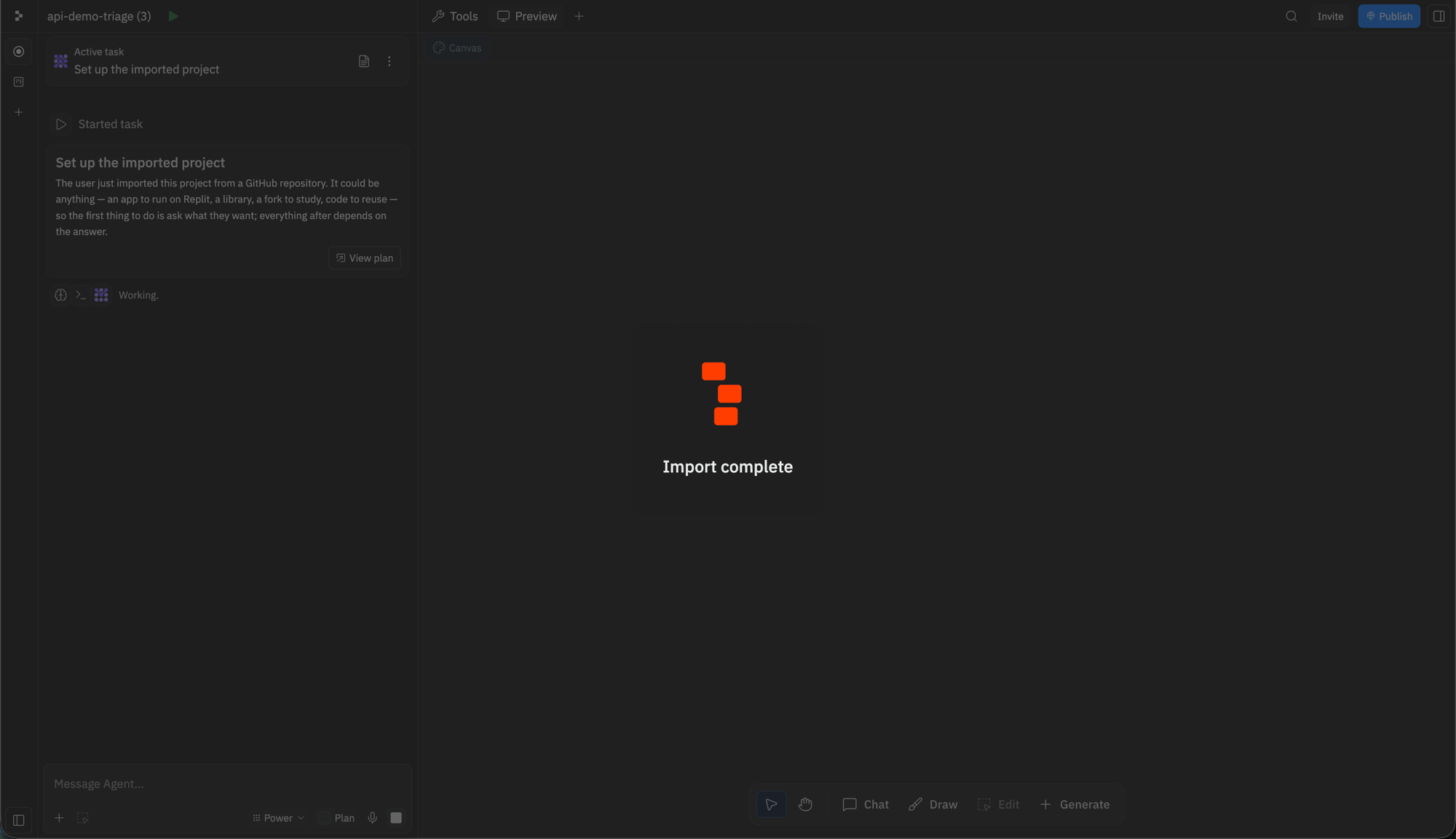
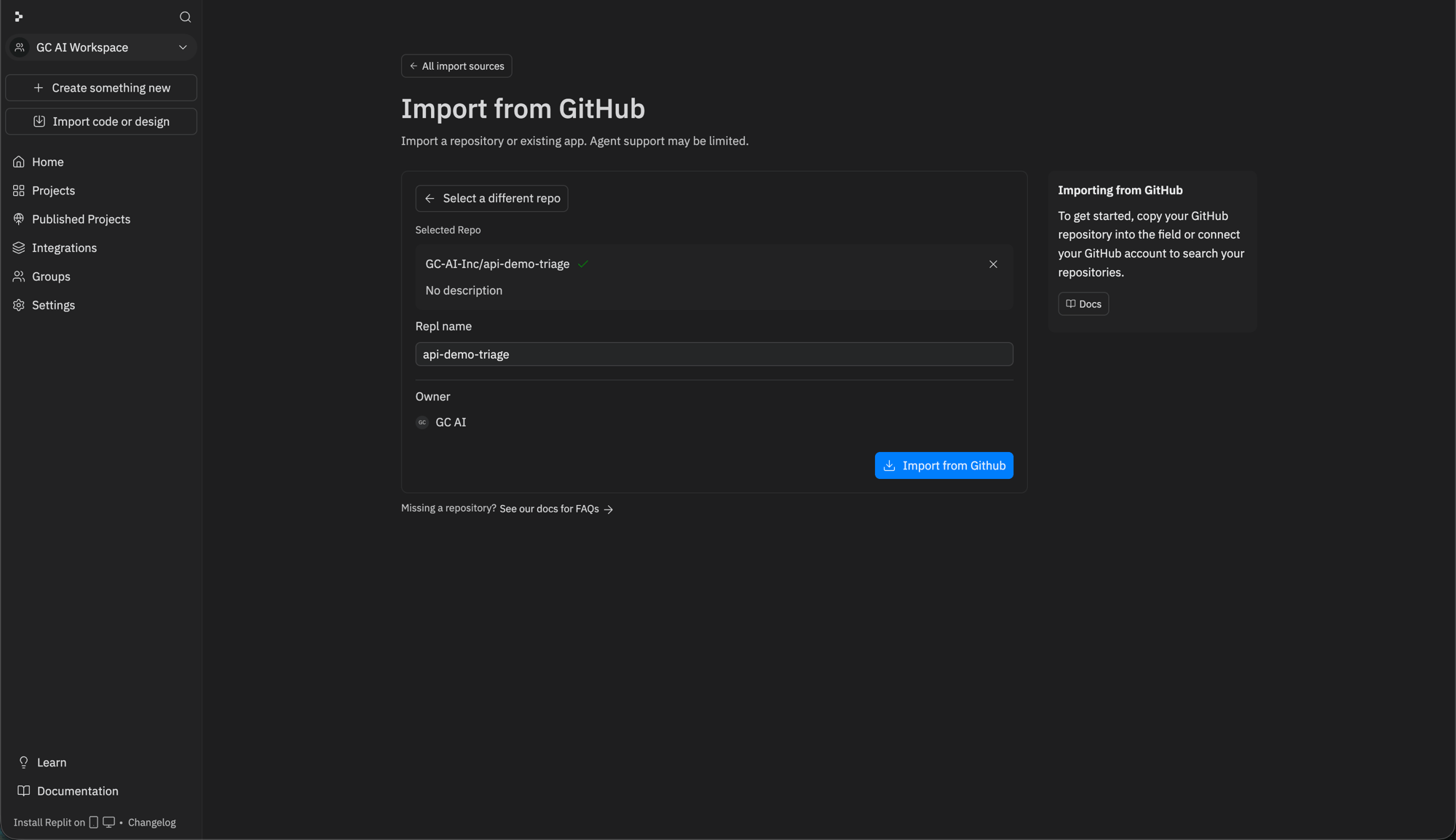 Replit copies the repository and its Agent starts setting the project up. This takes a minute or two.
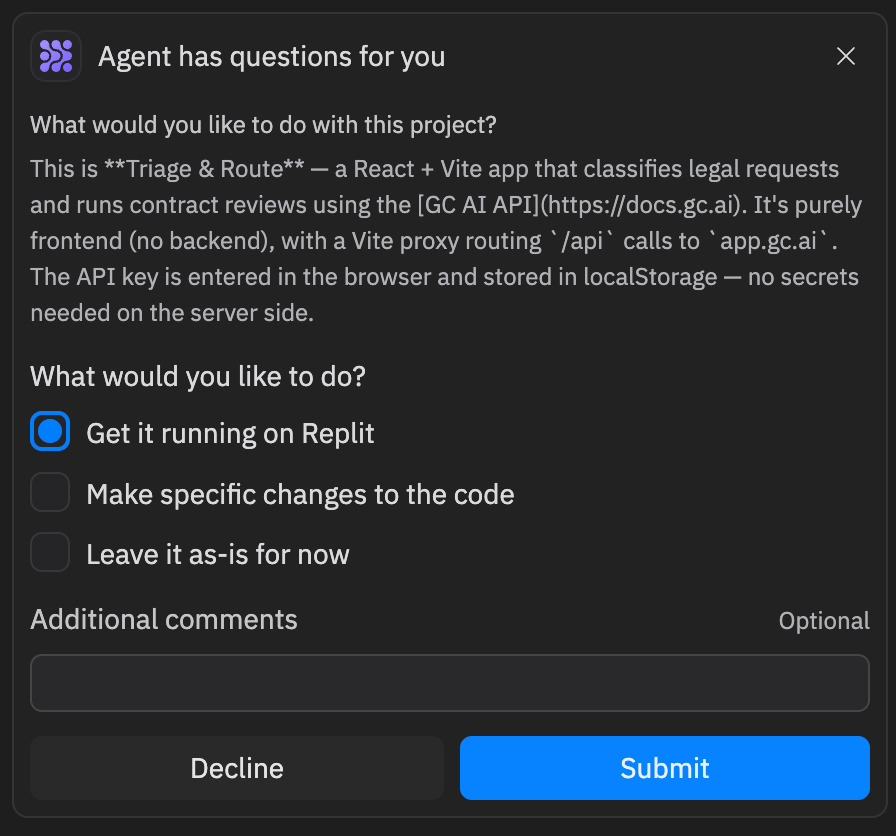
 The Agent asks what you want to do with the project. Select **Get it running on Replit** and click **Submit**. The Agent then installs dependencies, configures the dev server, and starts the app.
 When the app is running, its preview opens on the right. Paste your GC AI API key into the field at the top to start using it.
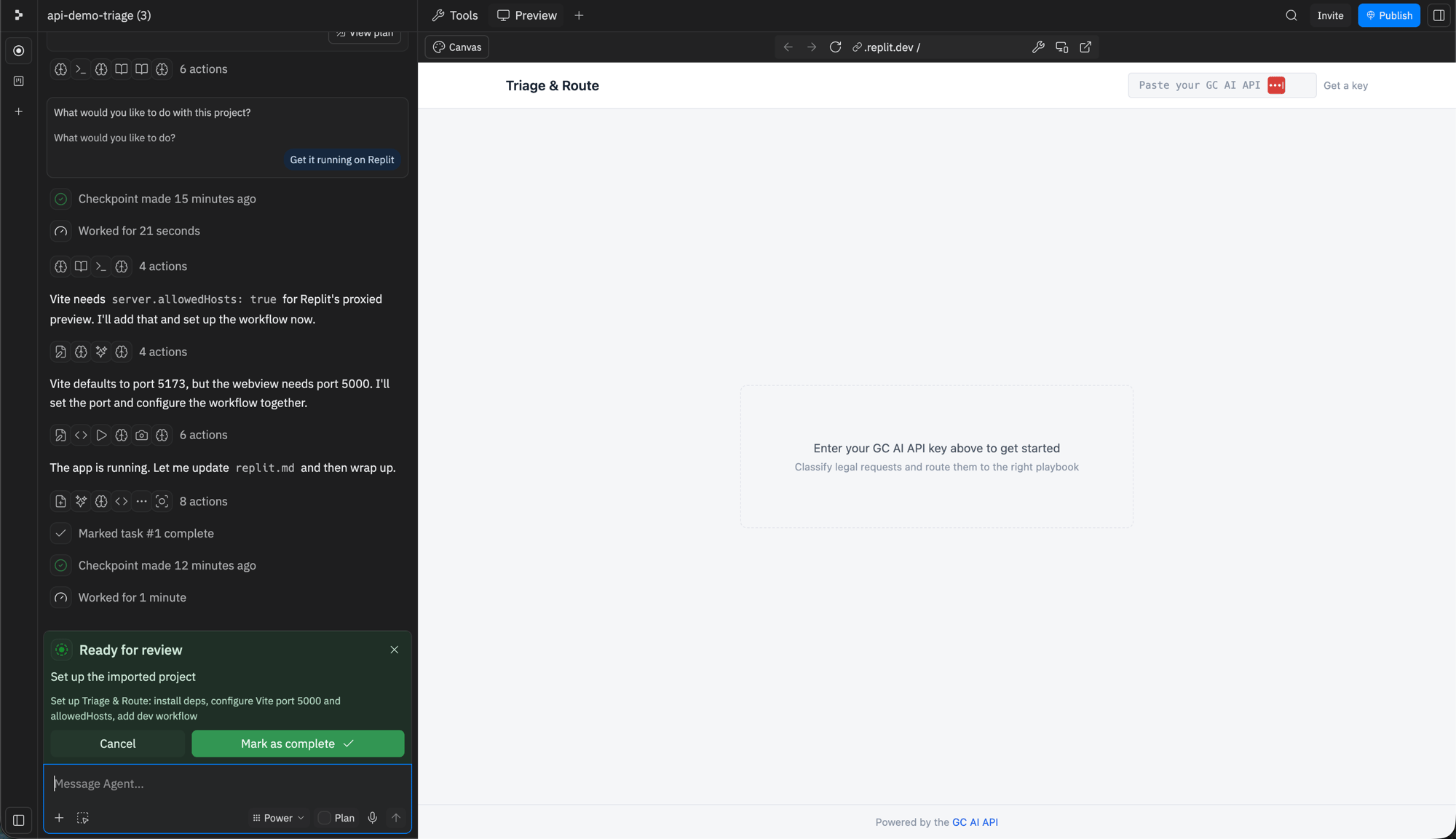 The example runs entirely in your browser and stores the key in your browser's local storage. There is no server-side secret to configure.
That is it. The imported project is yours to edit, extend, or fork. See its `README` for how the app is structured.
The example runs entirely in your browser and stores the key in your browser's local storage. There is no server-side secret to configure.
That is it. The imported project is yours to edit, extend, or fork. See its `README` for how the app is structured.