> ## Documentation Index
> Fetch the complete documentation index at: https://docs.gc.ai/llms.txt
> Use this file to discover all available pages before exploring further.
# How to Enable
> Turn on personal API keys for your organization and create keys in GC AI.
## Enable API access for your organization
Use **personal API keys** to call the GC AI external API. An organization admin must allow key creation first; then each user can create keys from the API settings page.
### 1. Organization admin: allow personal API keys
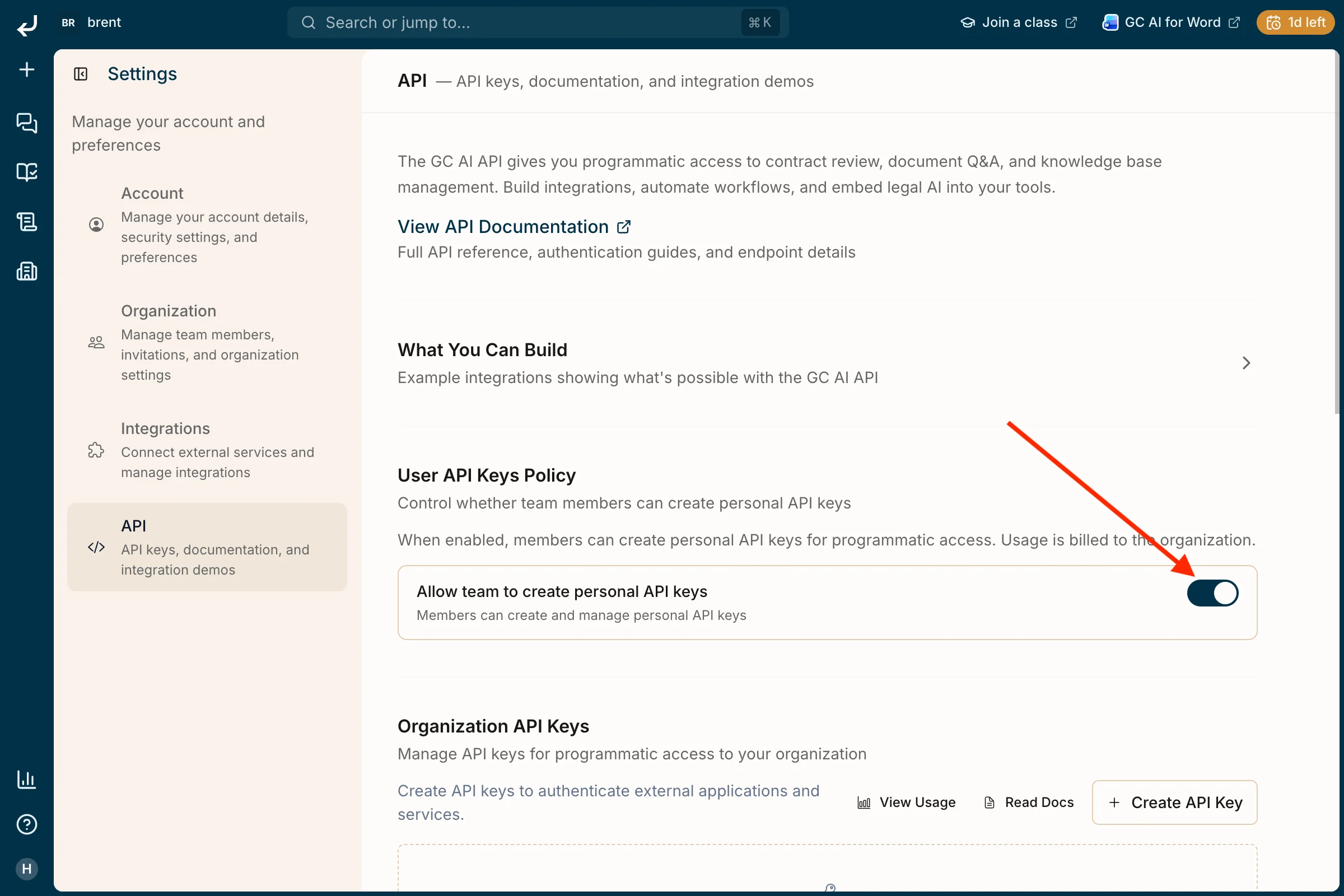
Go to **Settings → API**. Under **User API Keys Policy**, turn on **Allow team to create personal API keys**. Until this is enabled, members cannot create keys (usage is billed to the organization).
 ### 2. Open Settings
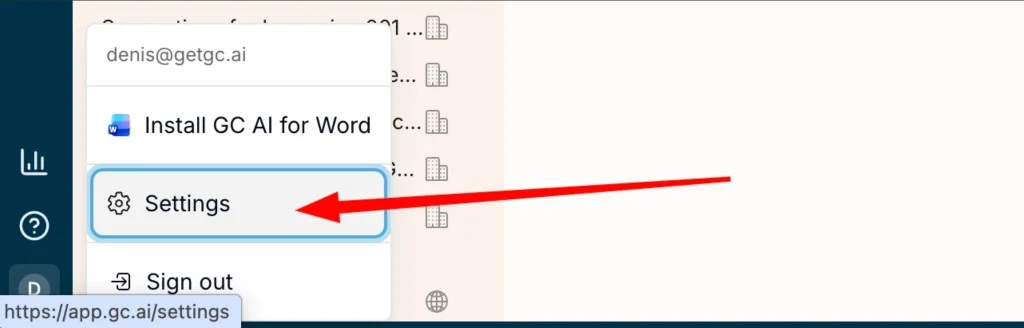
Click your profile icon in the sidebar, then choose **Settings**.
### 2. Open Settings
Click your profile icon in the sidebar, then choose **Settings**.
 ### 3. Create a personal API key
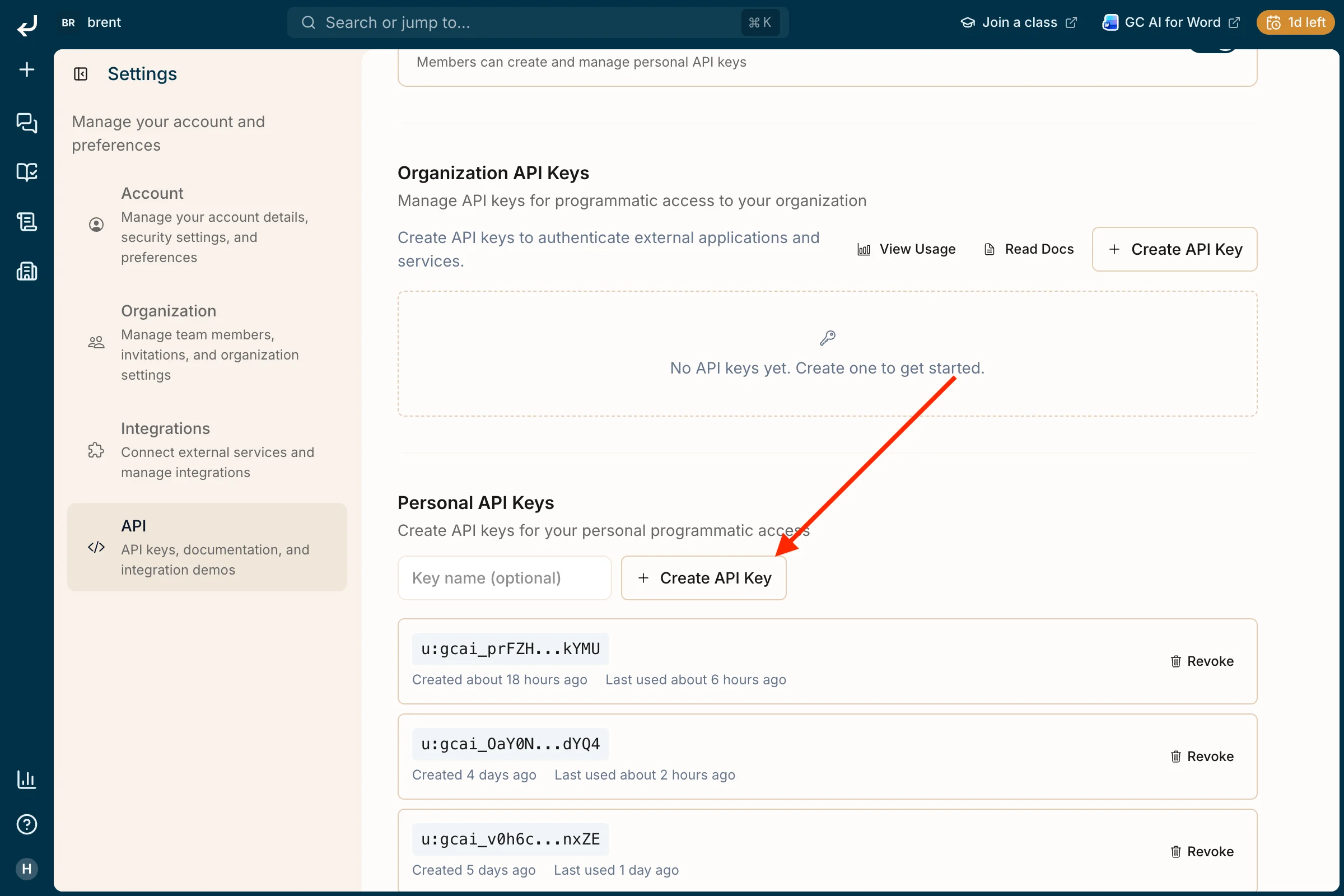
In **Settings**, select **API**. Scroll to **Personal API Keys**, optionally enter a **Key name**, then click **+ Create API Key**. Copy and store the key securely when it is shown; you can revoke keys from this page later.
### 3. Create a personal API key
In **Settings**, select **API**. Scroll to **Personal API Keys**, optionally enter a **Key name**, then click **+ Create API Key**. Copy and store the key securely when it is shown; you can revoke keys from this page later.