> ## Documentation Index
> Fetch the complete documentation index at: https://docs.gc.ai/llms.txt
> Use this file to discover all available pages before exploring further.
# Sep 1, 2026
## New Features
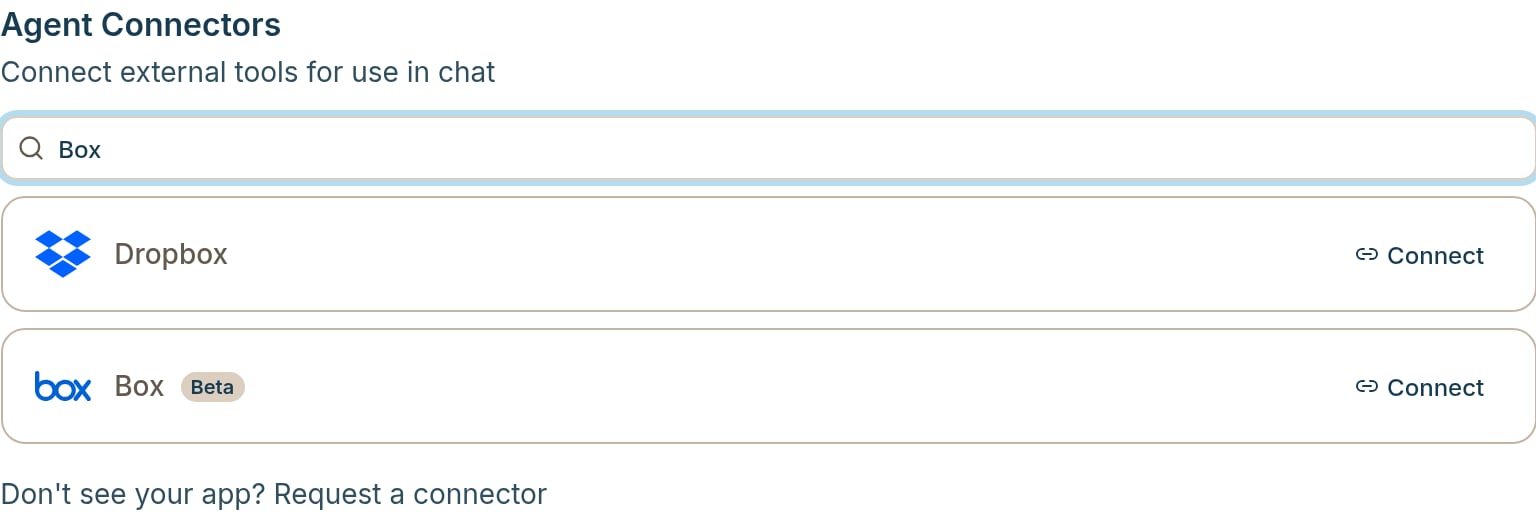
**Connect Box**
Connect Box from **Settings** to search files, pull a document into chat, and use Box as a Contract Intelligence source. Pick folders, set import filters, and pin files the same way you do with Drive, SharePoint, and OneDrive.
 **Import a zip into a Vault**
Drop a .zip of up to 1 GB on a Vault upload zone, and Contract Intelligence will unzip and begin processing the documents in the background. GC AI imports supported PDF, Word, and text files as individual documents and shows progress on the Sources page.
## Improvements
### Web
• **Pending changes per document**: When several documents have edits in one chat, each file gets its own row with Apply, Undo, and Download, so an action affects only that document.
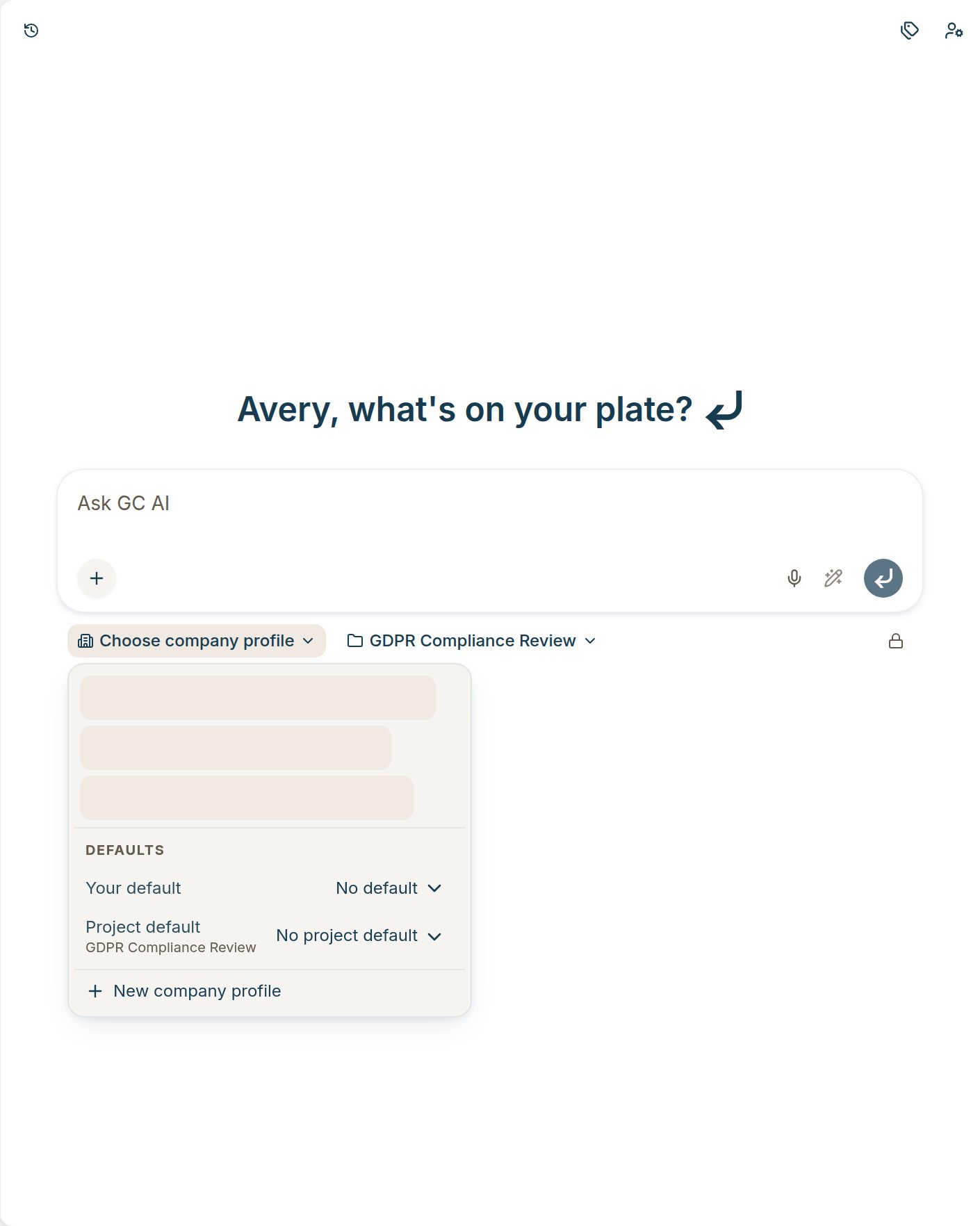
• **Company profile defaults**: Under **Defaults** in the company profile picker, set **Your default** for your new chats, or **Project default** so new chats in that project start with that company.
**Import a zip into a Vault**
Drop a .zip of up to 1 GB on a Vault upload zone, and Contract Intelligence will unzip and begin processing the documents in the background. GC AI imports supported PDF, Word, and text files as individual documents and shows progress on the Sources page.
## Improvements
### Web
• **Pending changes per document**: When several documents have edits in one chat, each file gets its own row with Apply, Undo, and Download, so an action affects only that document.
• **Company profile defaults**: Under **Defaults** in the company profile picker, set **Your default** for your new chats, or **Project default** so new chats in that project start with that company.
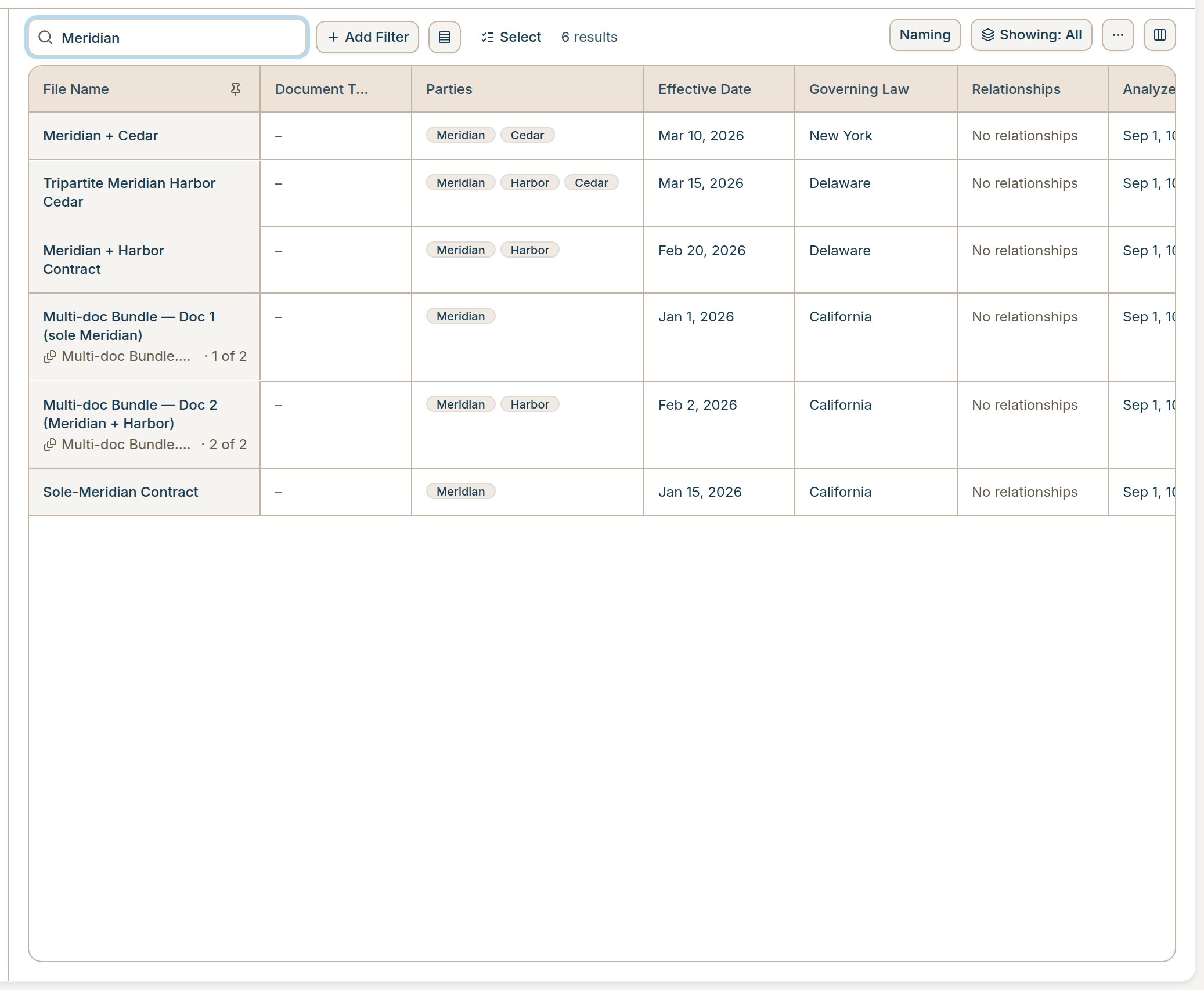
 • **Search a Vault by name**: You can now search your vault by name by clicking on the magnifying glass icon above your vault table
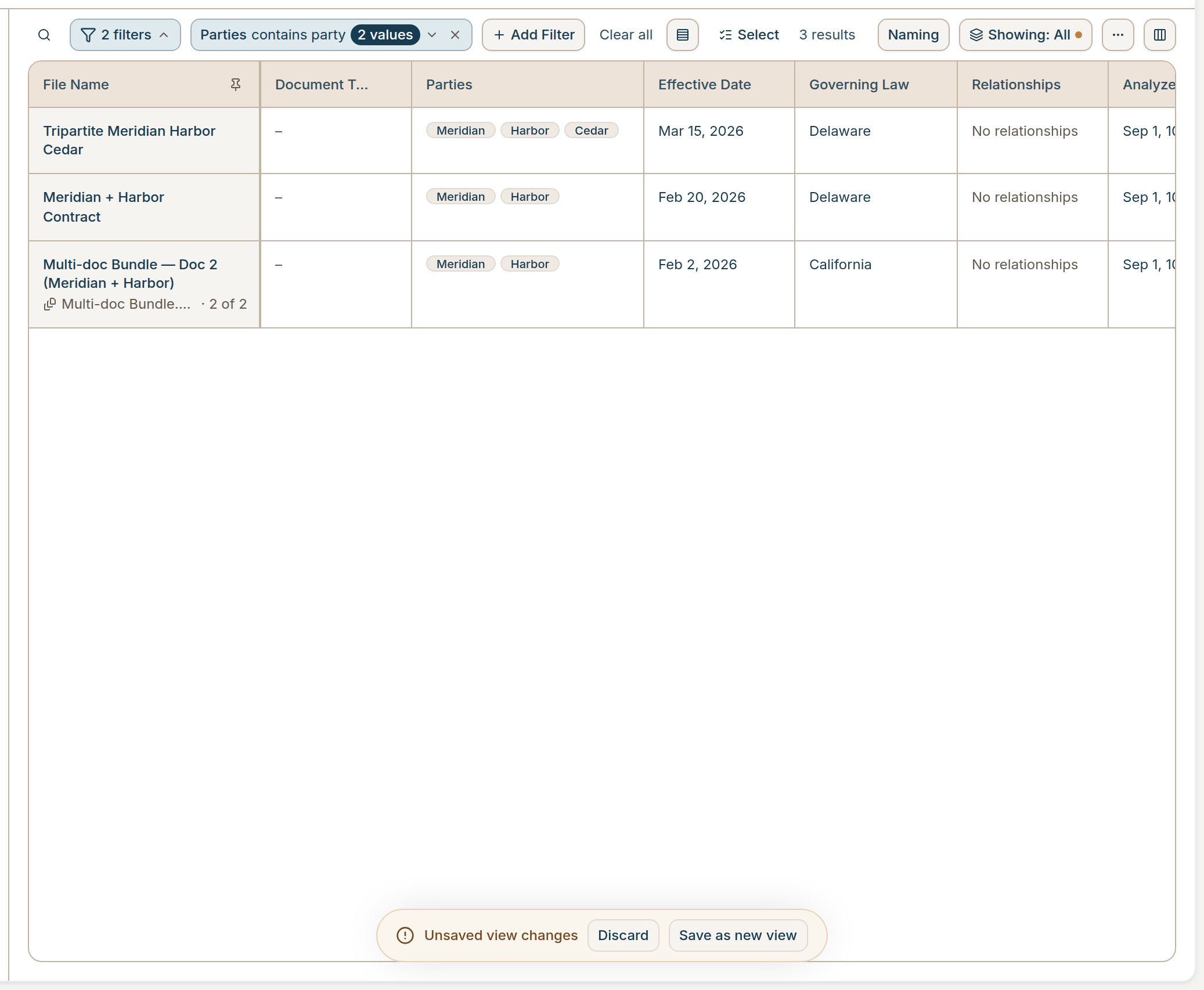
 • **Grouped Vault filters**: Rules that share a field fold into one chip with an N values badge. Past six chips, the bar collapses to an N filters pill.
 • **Naming in More actions**: After you apply a naming template, **Naming** moves from the toolbar into **More actions**, and a note shows how many documents were renamed.
• **Duplicate Vault copies count once**: If the same file lands twice, for example a manual upload and a later Drive sync, GC AI keeps one copy. Duplicates no longer use extra document allowance or inflate Vault chat counts.
• **Clearer spreadsheet import**: The Import spreadsheet dialog now explains that you are merging columns from your tracker into extracted Vault data, matching rows, then adding columns.
• **Clearer Vault capacity message**: When a Vault hits its document allowance, the table says so instead of showing documents as still processing.
• **Clarifying questions one at a time**: When GC AI asks follow-up questions, you see one question at a time with a 1 of N header, and every option stays visible.
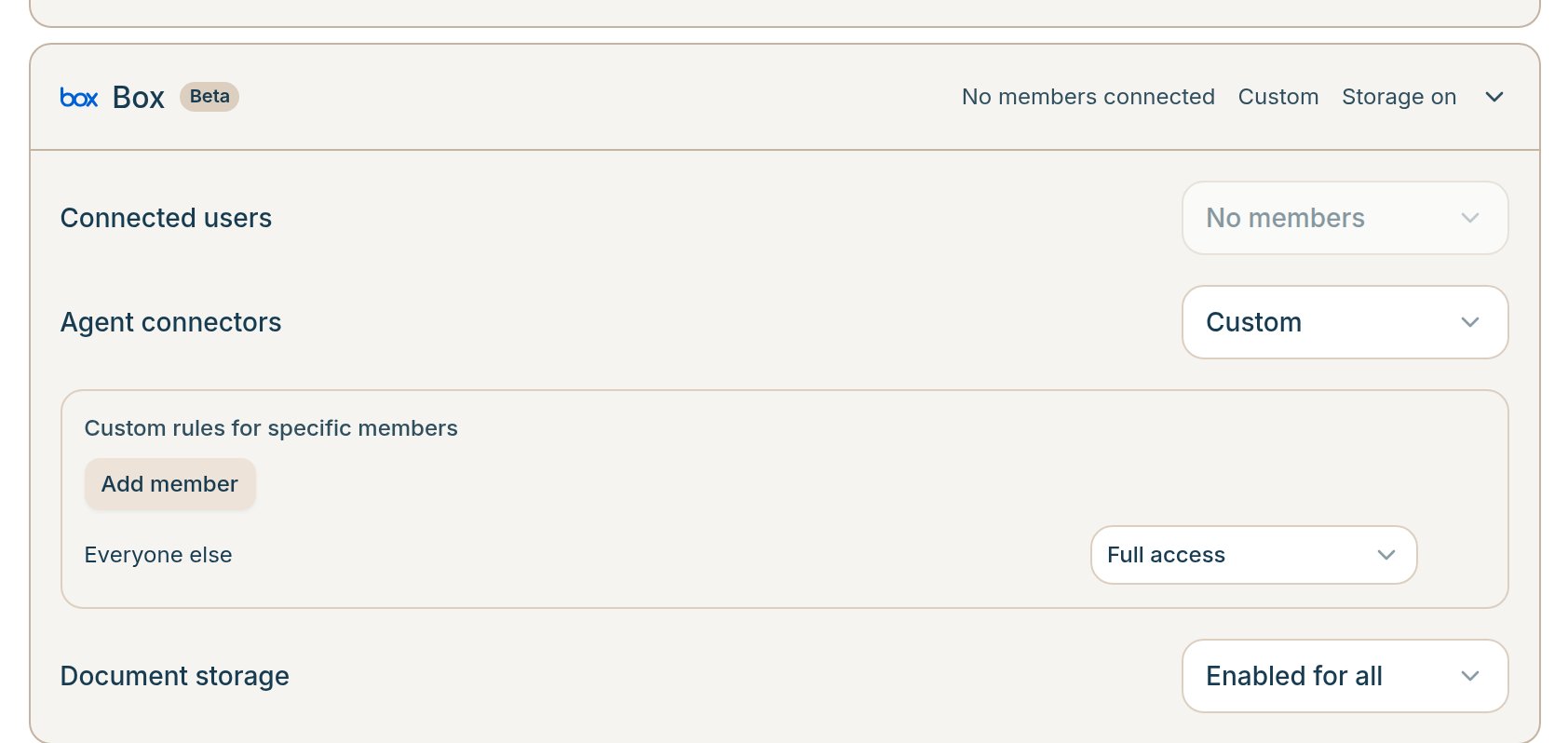
• **Per-person connector access**: Organization admins can set custom allow or restrict rules for a connector, so one teammate can have different Agent Connector or Document Storage access than the org default.
• **Naming in More actions**: After you apply a naming template, **Naming** moves from the toolbar into **More actions**, and a note shows how many documents were renamed.
• **Duplicate Vault copies count once**: If the same file lands twice, for example a manual upload and a later Drive sync, GC AI keeps one copy. Duplicates no longer use extra document allowance or inflate Vault chat counts.
• **Clearer spreadsheet import**: The Import spreadsheet dialog now explains that you are merging columns from your tracker into extracted Vault data, matching rows, then adding columns.
• **Clearer Vault capacity message**: When a Vault hits its document allowance, the table says so instead of showing documents as still processing.
• **Clarifying questions one at a time**: When GC AI asks follow-up questions, you see one question at a time with a 1 of N header, and every option stays visible.
• **Per-person connector access**: Organization admins can set custom allow or restrict rules for a connector, so one teammate can have different Agent Connector or Document Storage access than the org default.
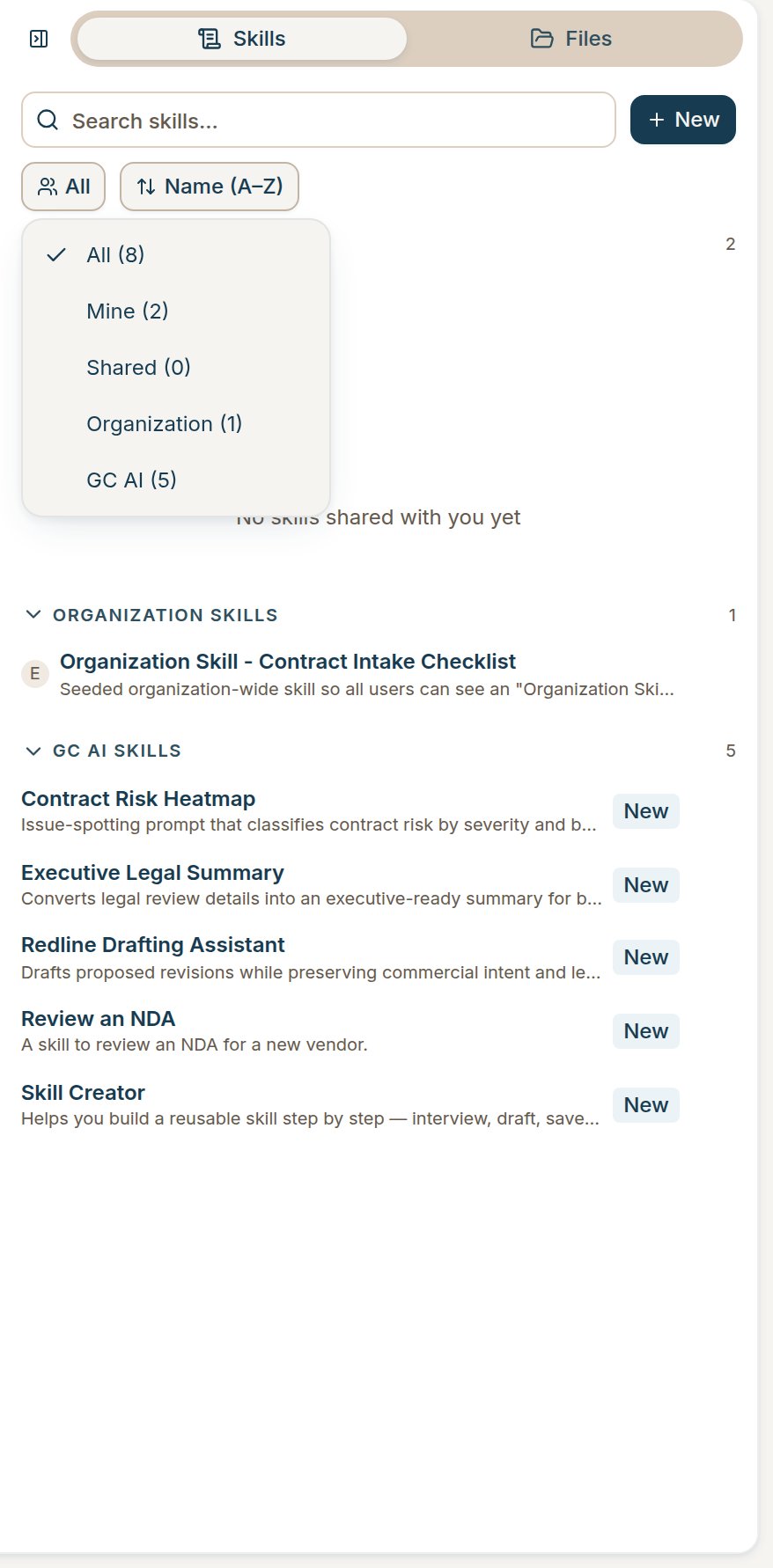
 • **Skills list filters**: Filter skills by All, Mine, Shared, Organization, or GC AI. You can also sort by name, or collapse sections for easier navigation
 • **Skills created in chat stay private**: A skill you create in chat lands in My Skills unless you ask to share it with your organization.
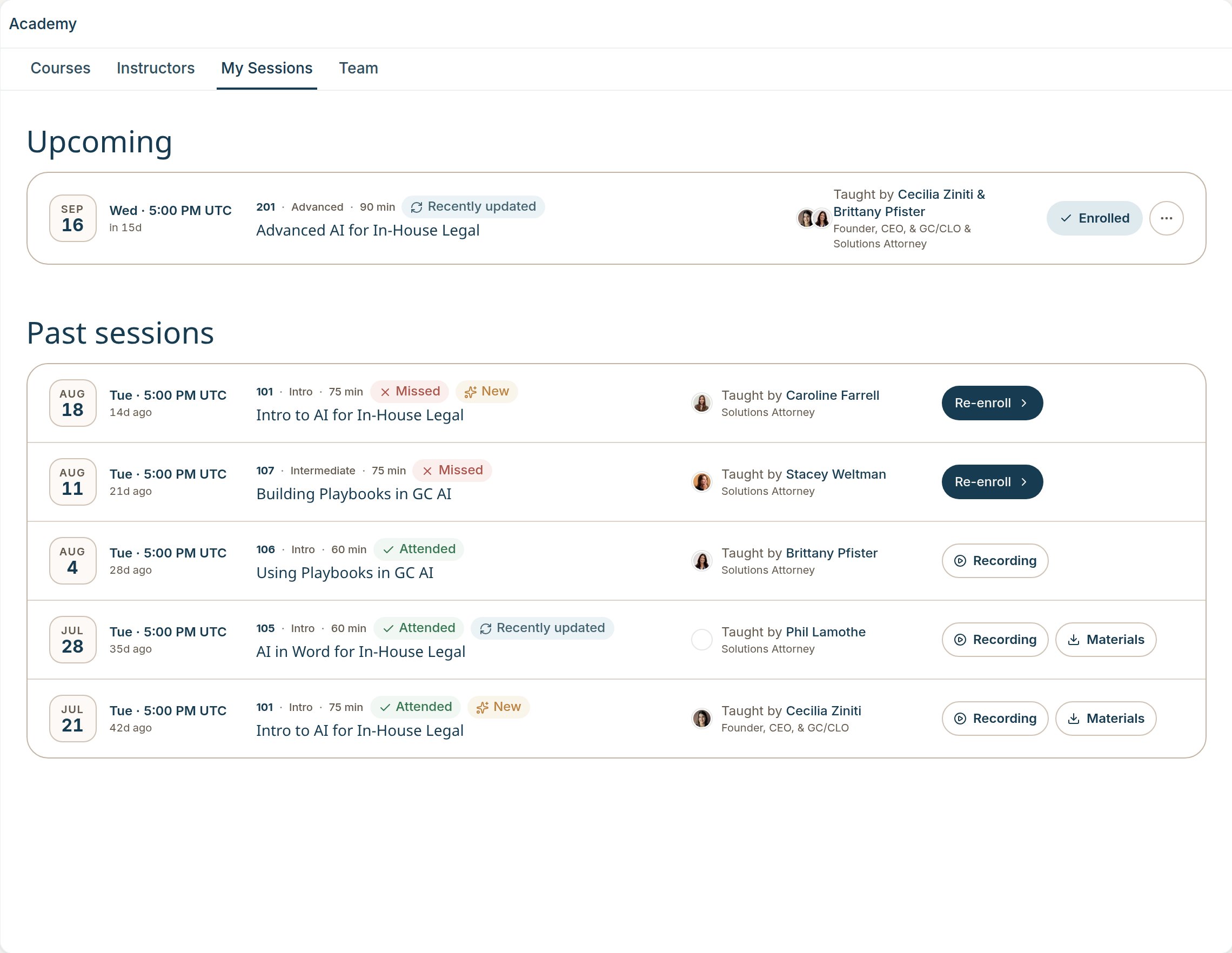
• **Academy recordings stay available**: If you registered for a class, you can open the recording anytime, even if you missed the session.
• **Skills created in chat stay private**: A skill you create in chat lands in My Skills unless you ask to share it with your organization.
• **Academy recordings stay available**: If you registered for a class, you can open the recording anytime, even if you missed the session.
 • **Opt out of new connectors by default**: Under **Settings → Policies**, turn off **Enable new integrations by default**. New connectors stay off until an admin turns them on.
• **Standing instructions stay in force**: When you give GC AI a standing rule in a chat, it keeps following it until you clearly change or drop it.
## Fixes
### Web
• Fixed an issue where downloading a document from pending changes showed the redlines, then reverted the file back to the original.
• Fixed an issue where a download after applying redlines returned a clean file without those edits.
• Fixed an issue where a long document generation could time out and report that you interrupted it.
• Fixed an issue where the Insert page break button in the document editor did nothing.
• Fixed an issue where clicking a citation from a text file showed only the snippet, instead of opening the file.
• Fixed an issue where web-source citations showed a View in File button that opened File not found.
• Fixed an issue where Easy Prompt could rewrite your draft as if a file were attached when none was.
• Fixed an issue where GC AI could not read documents it had just generated or edited in the same chat.
• Fixed an issue where leaving a chat mid-response and coming back dropped the live reply.
• Fixed an issue where reopened chats landed at the top of the thread instead of the latest message.
• Fixed an issue where pressing Enter to pick a skill from the / menu also sent the message when Enter to send was on.
• Fixed an issue where the skill / menu opened off-screen from the bottom composer.
• Fixed an issue where pasting a skill into the composer inserted raw markdown instead of a skill chip.
• Fixed an issue where Personalization closed as soon as the pointer left the collapsed sidebar.
• Fixed an issue where drafted language in a document used the editor default style instead of the surrounding formatting.
• Fixed an issue where "next Thursday" and similar dates could land on the wrong day.
• Fixed an issue where playbook text could show through the Create Playbook wizard.
• Fixed an issue where some Italian case law citations and body text were hard to read.
• Fixed an issue where the Contract Intelligence preview page hid the sidebar menu when the rail was collapsed.
### Word
• Fixed an issue where the Word task pane chat list could show a dark navy fill until you scrolled.
• **Opt out of new connectors by default**: Under **Settings → Policies**, turn off **Enable new integrations by default**. New connectors stay off until an admin turns them on.
• **Standing instructions stay in force**: When you give GC AI a standing rule in a chat, it keeps following it until you clearly change or drop it.
## Fixes
### Web
• Fixed an issue where downloading a document from pending changes showed the redlines, then reverted the file back to the original.
• Fixed an issue where a download after applying redlines returned a clean file without those edits.
• Fixed an issue where a long document generation could time out and report that you interrupted it.
• Fixed an issue where the Insert page break button in the document editor did nothing.
• Fixed an issue where clicking a citation from a text file showed only the snippet, instead of opening the file.
• Fixed an issue where web-source citations showed a View in File button that opened File not found.
• Fixed an issue where Easy Prompt could rewrite your draft as if a file were attached when none was.
• Fixed an issue where GC AI could not read documents it had just generated or edited in the same chat.
• Fixed an issue where leaving a chat mid-response and coming back dropped the live reply.
• Fixed an issue where reopened chats landed at the top of the thread instead of the latest message.
• Fixed an issue where pressing Enter to pick a skill from the / menu also sent the message when Enter to send was on.
• Fixed an issue where the skill / menu opened off-screen from the bottom composer.
• Fixed an issue where pasting a skill into the composer inserted raw markdown instead of a skill chip.
• Fixed an issue where Personalization closed as soon as the pointer left the collapsed sidebar.
• Fixed an issue where drafted language in a document used the editor default style instead of the surrounding formatting.
• Fixed an issue where "next Thursday" and similar dates could land on the wrong day.
• Fixed an issue where playbook text could show through the Create Playbook wizard.
• Fixed an issue where some Italian case law citations and body text were hard to read.
• Fixed an issue where the Contract Intelligence preview page hid the sidebar menu when the rail was collapsed.
### Word
• Fixed an issue where the Word task pane chat list could show a dark navy fill until you scrolled.