> ## Documentation Index
> Fetch the complete documentation index at: https://docs.gc.ai/llms.txt
> Use this file to discover all available pages before exploring further.
# Get Support
> How to get help with GC AI, including email support and troubleshooting resources.
## Product Help
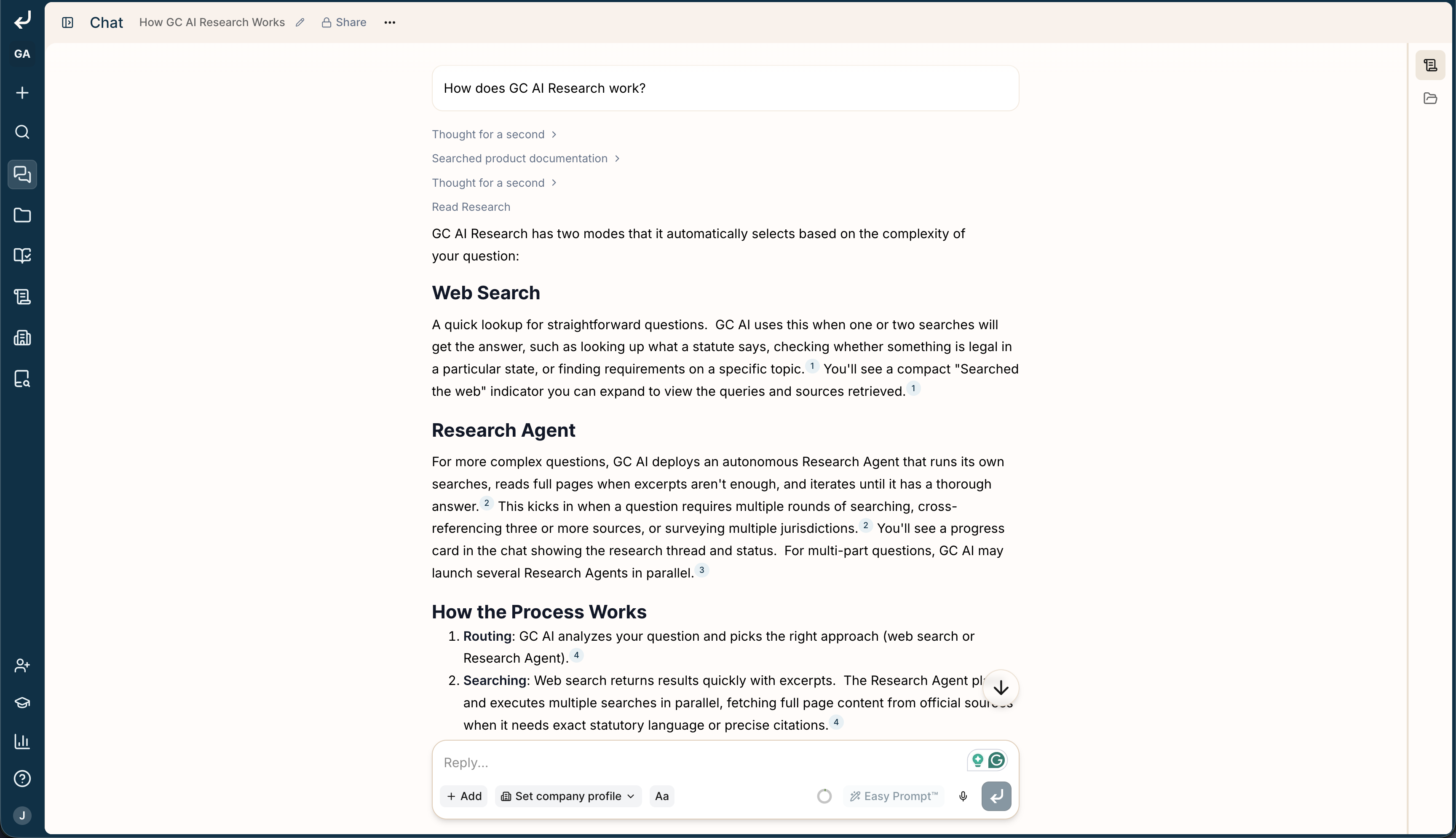
The fastest way to get an answer is to ask GC AI itself. In any chat at [app.gc.ai](https://app.gc.ai), ask a question about the product, like "How do I create a project?" or "How do playbooks work?" GC AI answers from our product documentation and links you to the exact pages.
 ### How it works
When you ask how to use the product, GC AI searches our documentation for you and answers from what it finds:
* It looks across every page on [docs.gc.ai](https://docs.gc.ai).
* It picks the pages that best match your question.
* It pulls out the part that answers you and replies in plain language.
* It links you to the exact pages, so you can read more whenever you want.
## Support in the Word add-in
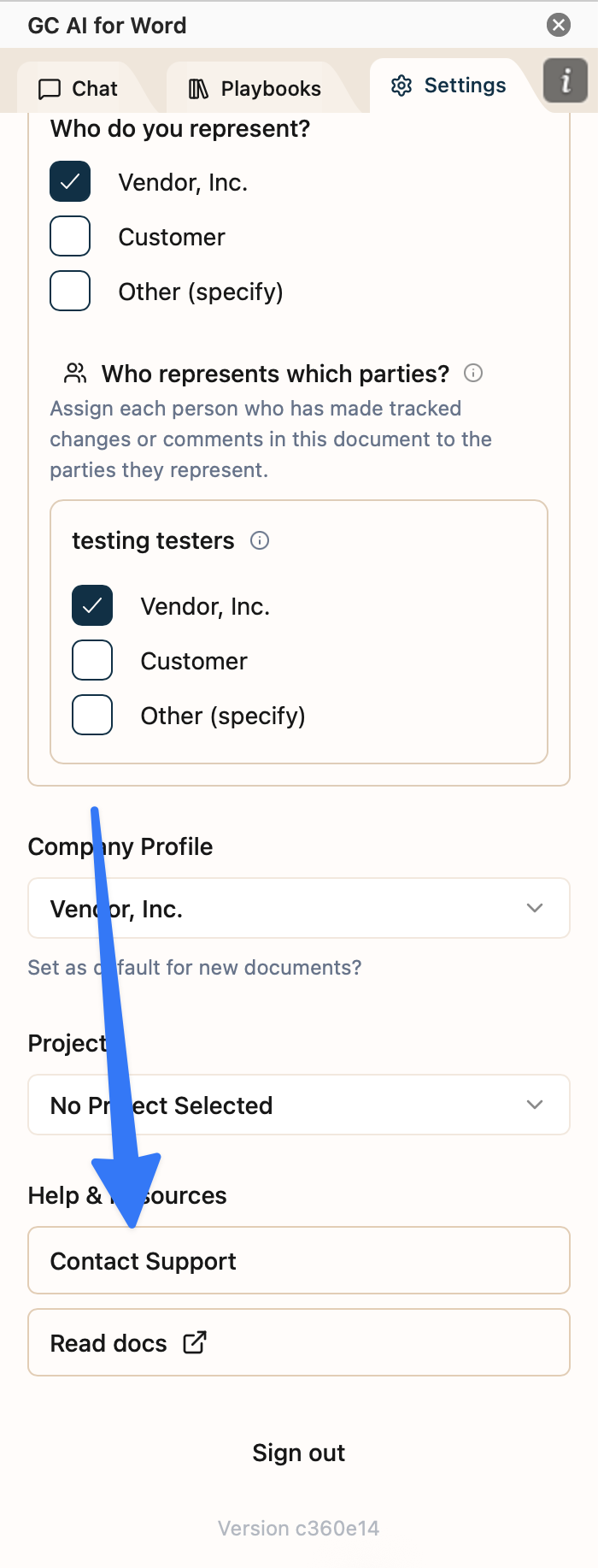
You can chat with GC AI right inside your document. To reach support, open **Settings** in the add-in, find **Help & Resources**, and select **Contact Support**. That opens a chat where you can ask your question and get an answer from our AI assistant, with the support team on standby.
### How it works
When you ask how to use the product, GC AI searches our documentation for you and answers from what it finds:
* It looks across every page on [docs.gc.ai](https://docs.gc.ai).
* It picks the pages that best match your question.
* It pulls out the part that answers you and replies in plain language.
* It links you to the exact pages, so you can read more whenever you want.
## Support in the Word add-in
You can chat with GC AI right inside your document. To reach support, open **Settings** in the add-in, find **Help & Resources**, and select **Contact Support**. That opens a chat where you can ask your question and get an answer from our AI assistant, with the support team on standby.
 ## Contact Support
Email us at [support@gc.ai](mailto:support@gc.ai). Include:
* A short description of the issue
* What you expected to happen
* What actually happened
* Any error messages, screenshots, or relevant chat / document links
We typically respond within one business day.
## Check for Outages
Before contacting support, check the [GC AI status page](https://status.gc.ai/) for ongoing incidents.
## Self-Serve Help
* [Welcome and getting started](/get-started/welcome)
* [Account FAQ](/docs/account/account-faq): sign-in, password reset, and SSO
* [GC AI for Word troubleshooting](/docs/gc-ai-for-word/troubleshooting-guide): add-in install and loading issues
* [Whitelisting requirements](/security/whitelisting): domains and ports for IT and network allowlists
## Contact Support
Email us at [support@gc.ai](mailto:support@gc.ai). Include:
* A short description of the issue
* What you expected to happen
* What actually happened
* Any error messages, screenshots, or relevant chat / document links
We typically respond within one business day.
## Check for Outages
Before contacting support, check the [GC AI status page](https://status.gc.ai/) for ongoing incidents.
## Self-Serve Help
* [Welcome and getting started](/get-started/welcome)
* [Account FAQ](/docs/account/account-faq): sign-in, password reset, and SSO
* [GC AI for Word troubleshooting](/docs/gc-ai-for-word/troubleshooting-guide): add-in install and loading issues
* [Whitelisting requirements](/security/whitelisting): domains and ports for IT and network allowlists