Enable API access for your organization
Use personal API keys to call the GC AI external API. An organization admin must allow key creation first; then each user can create keys from the API settings page.
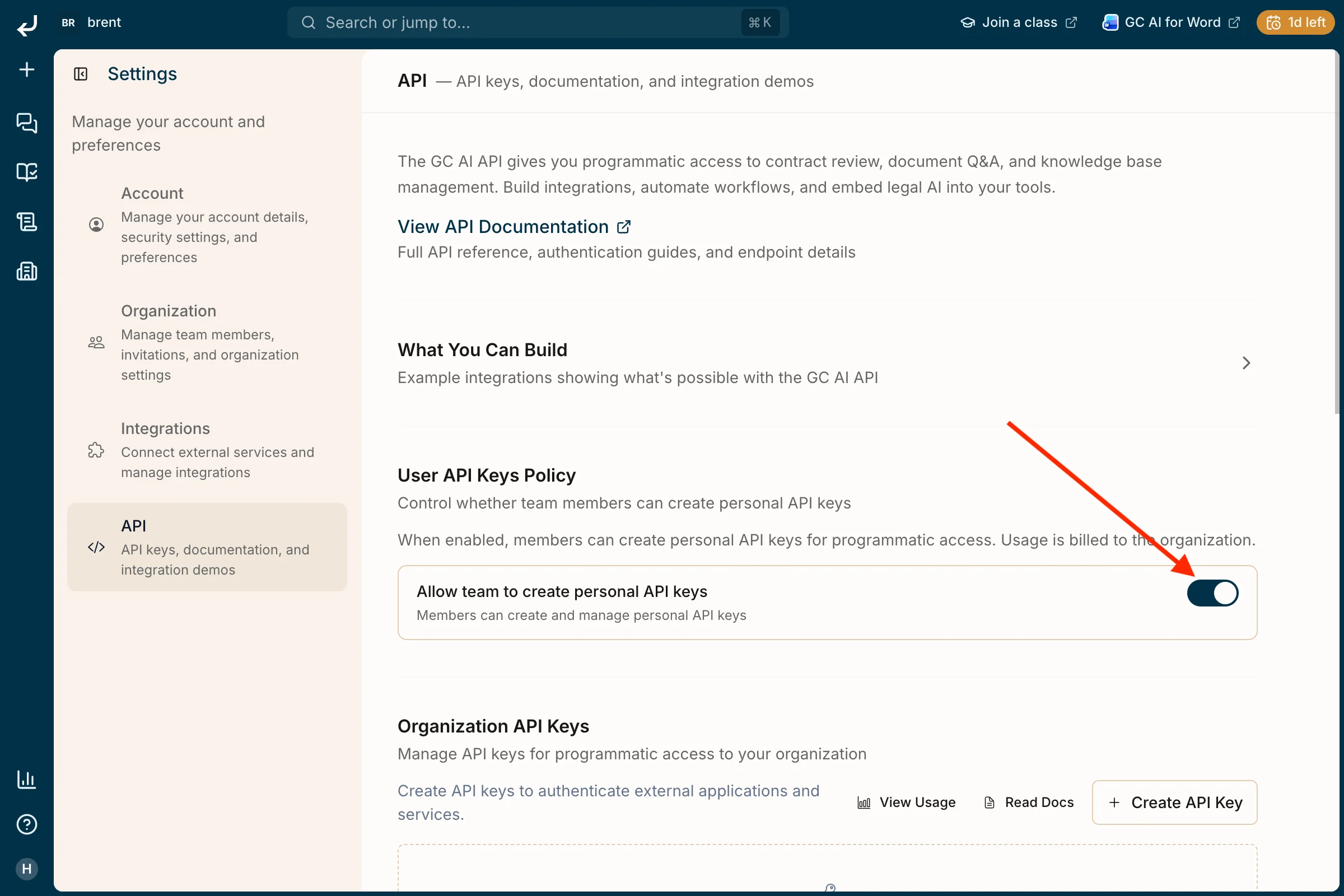
1. Organization admin: allow personal API keys
Go to Settings → API. Under User API Keys Policy, turn on Allow team to create personal API keys. Until this is enabled, members cannot create keys (usage is billed to the organization).
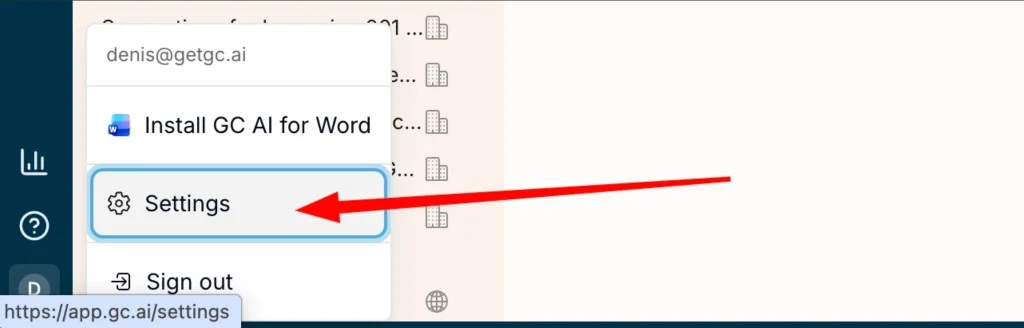
2. Open Settings
Click your profile icon in the sidebar, then choose Settings.
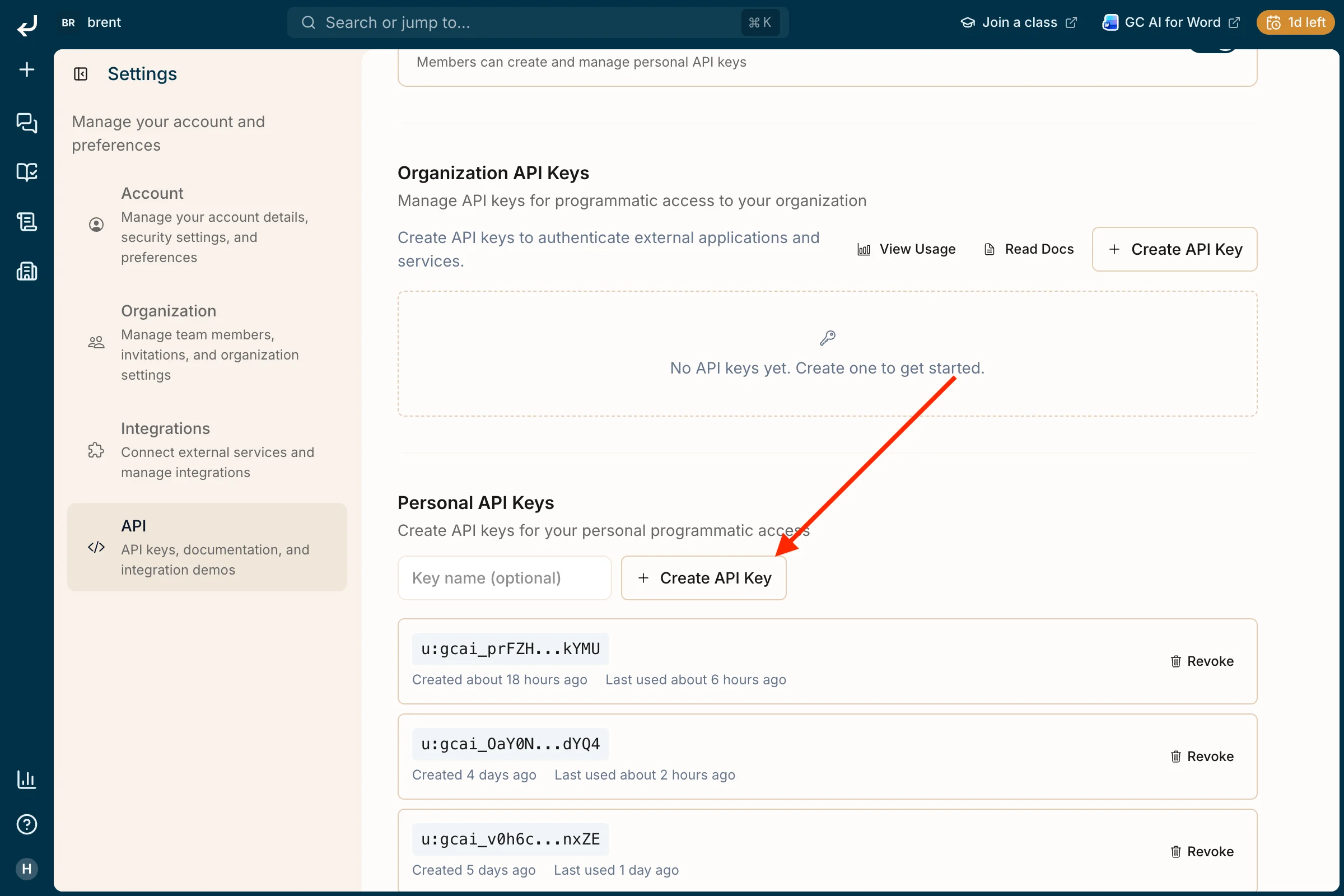
3. Create a personal API key
In Settings, select API. Scroll to Personal API Keys, optionally enter a Key name, then click + Create API Key. Copy and store the key securely when it is shown; you can revoke keys from this page later.
Last modified on May 15, 2026