Product Help
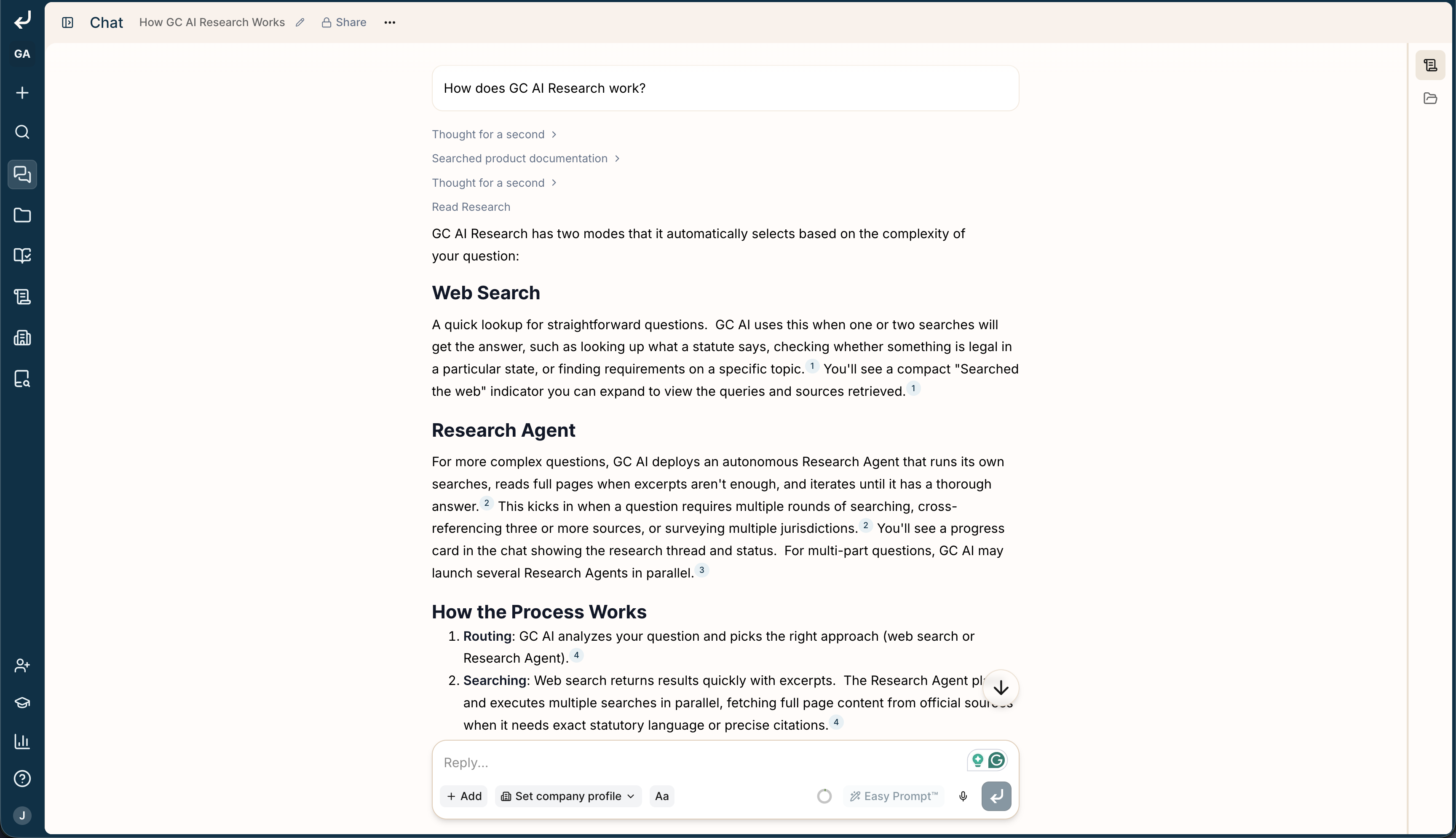
The fastest way to get an answer is to ask GC AI itself. In any chat at app.gc.ai, ask a question about the product, like “How do I create a project?” or “How do playbooks work?” GC AI answers from our product documentation and links you to the exact pages.
How it works
When you ask how to use the product, GC AI searches our documentation for you and answers from what it finds:
- It looks across every page on docs.gc.ai.
- It picks the pages that best match your question.
- It pulls out the part that answers you and replies in plain language.
- It links you to the exact pages, so you can read more whenever you want.
Support in the Word add-in
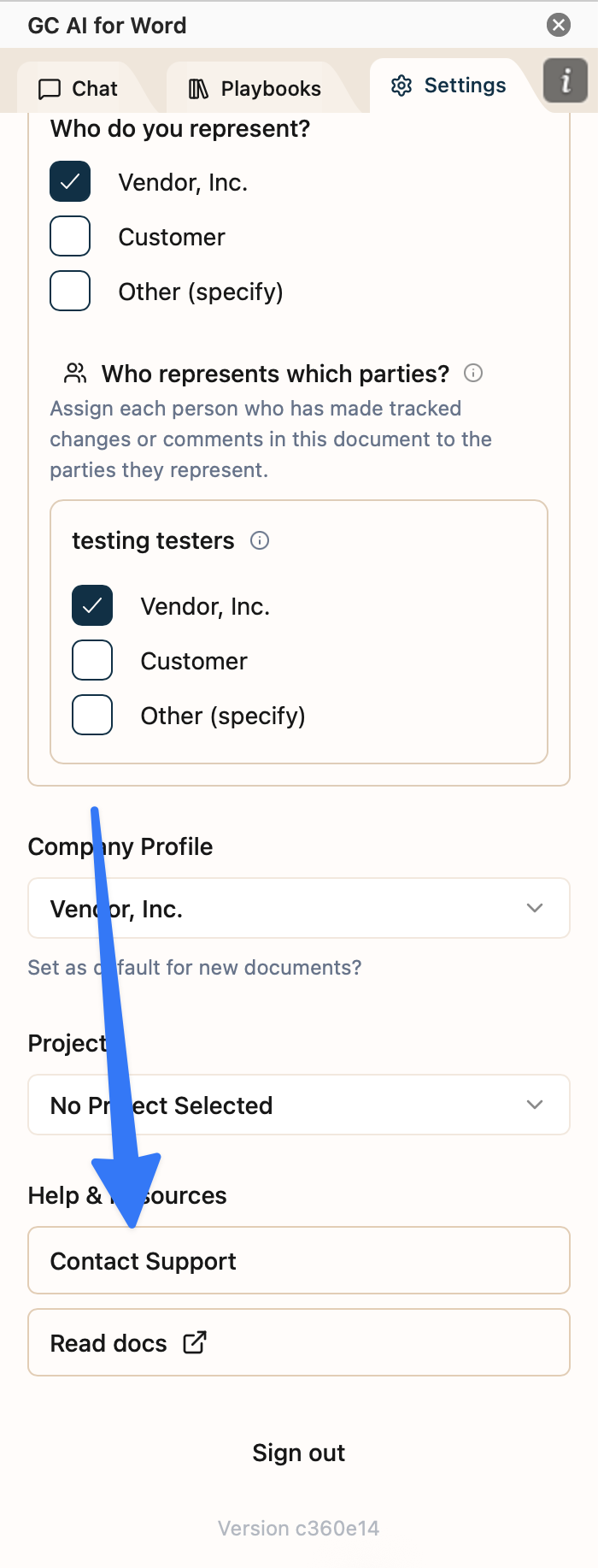
You can chat with GC AI right inside your document. To reach support, open Settings in the add-in, find Help & Resources, and select Contact Support. That opens a chat where you can ask your question and get an answer from our AI assistant, with the support team on standby.
Report a chat problem
If something goes wrong inside a chat, use Report chat in the chat header menu. See How to Report a Chat for step-by-step instructions, including how to add a screenshot.
Email us at support@gc.ai. Include:
- A short description of the issue
- What you expected to happen
- What actually happened
- Any error messages, screenshots, or relevant chat / document links
We typically respond within one business day.
Check for Outages
Before contacting support, check the GC AI status page for ongoing incidents.
Self-Serve Help
Last modified on September 2, 2026