Branch Chat from MessageYou can now create new chat conversations starting from any assistant message by clicking the branch button on assistant responses. This opens a new chat tab with the complete conversation history up to that point, including all file attachments and collections, allowing you to explore different conversation paths without losing your original chat context.
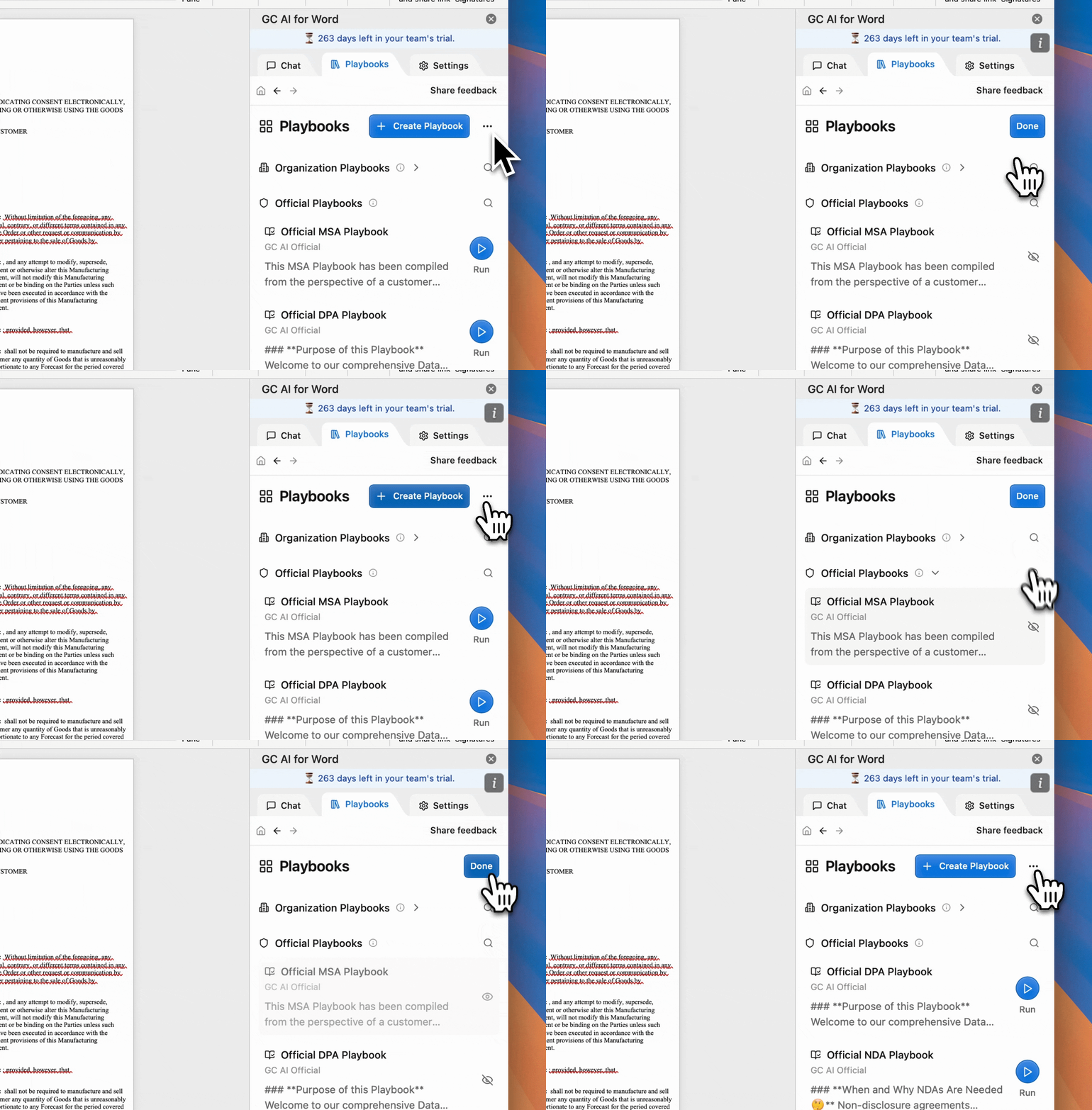
• Show/hide Playbooks: Manage Playbook visibility through a dedicated edit mode on the Playbooks home page. Click the dropdown menu and select “Show/hide playbooks” to enter an edit mode where you can individually toggle the visibility of each playbook.
Last modified on September 23, 2026
Was this page helpful?
Assistant
Responses are generated using AI and may contain mistakes.