
Contract Intelligence

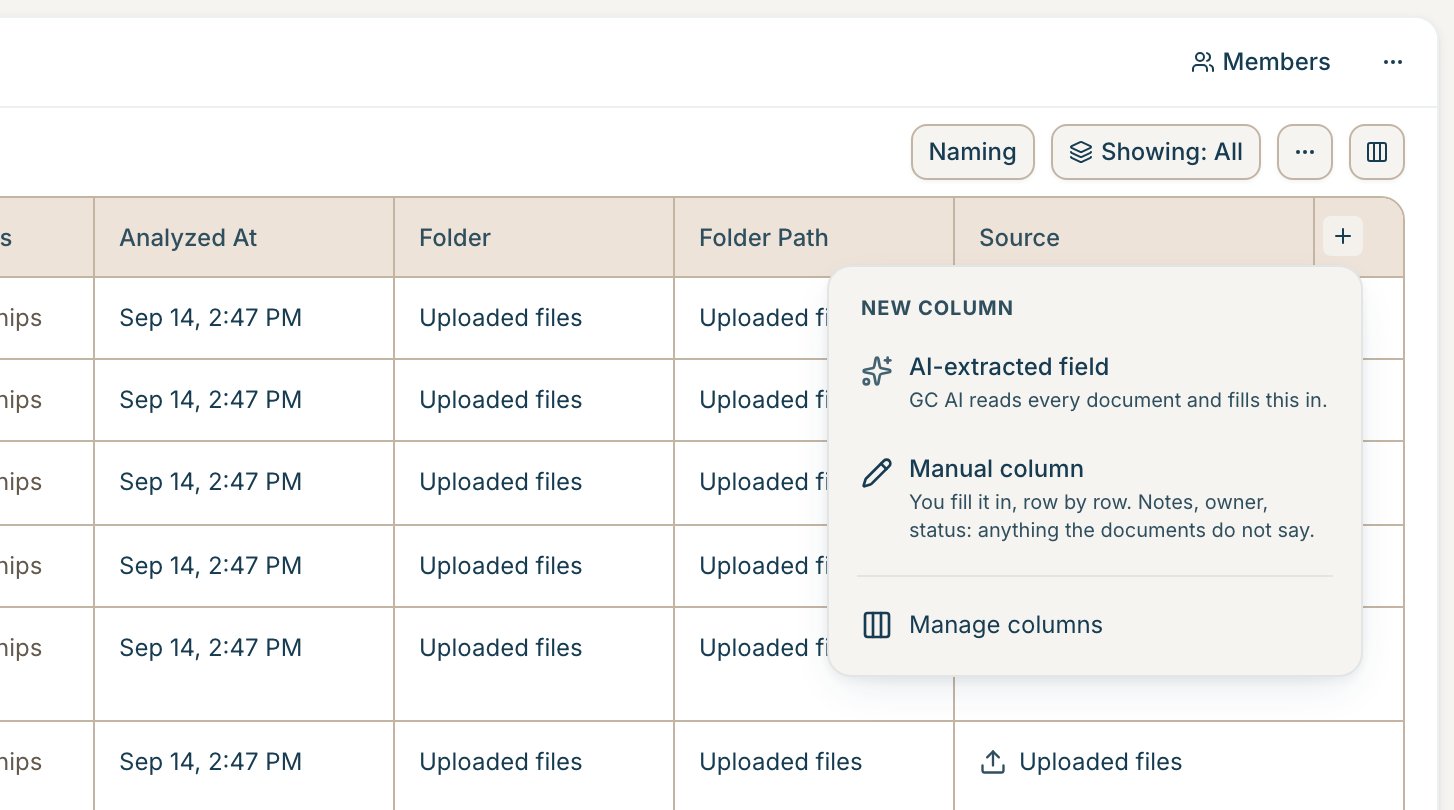
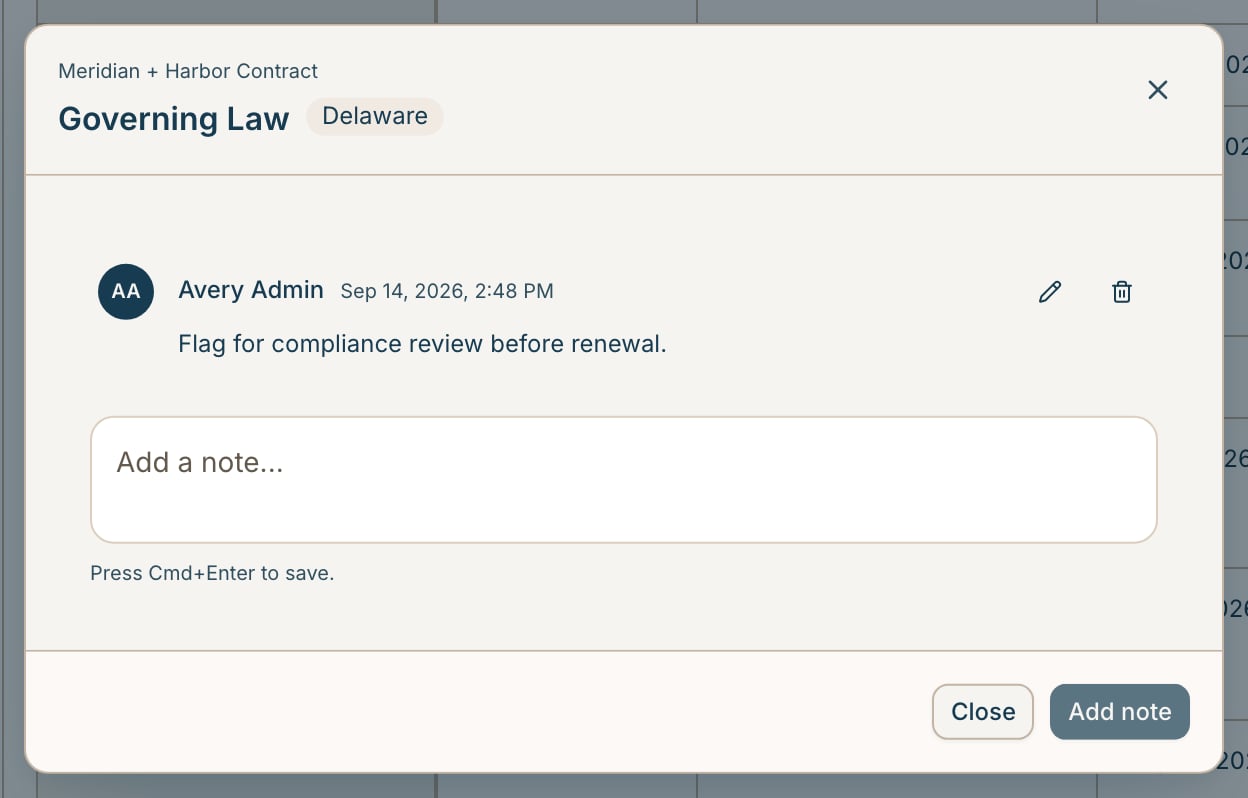
Manual columns and cell notes: Vault columns now come in two modes. Extracted columns are filled by GC AI from the document text, and Manual columns are yours to fill in by hand, so internal annotations like the reviewing attorney or a compliance status are included next to the extracted terms. You can also right-click any cell to leave a note for your team. A note never changes the cell’s value, and viewers can add notes too. Manual column option in the add-column menu A cell note thread in the View Chat answers point at the table: Vault chat can point at the specific rows and columns behind an answer, and an empty Vault chat suggests starter questions. A starting View from setup: Vault setup now creates a starting View based on what you told it you want to track, instead of landing you on a bare table. Filter by parties: Filter the View by several parties at once, or by the number of parties on an agreement. Pick the right Google account: The add-source picker shows which Google account you are using and lets you switch it. Confirm before removing a source: Deleting a document source now asks for confirmation.
Bug fixes

Naming editor during setup: The naming template editor no longer appears while you are still creating a Vault.