

Introduction
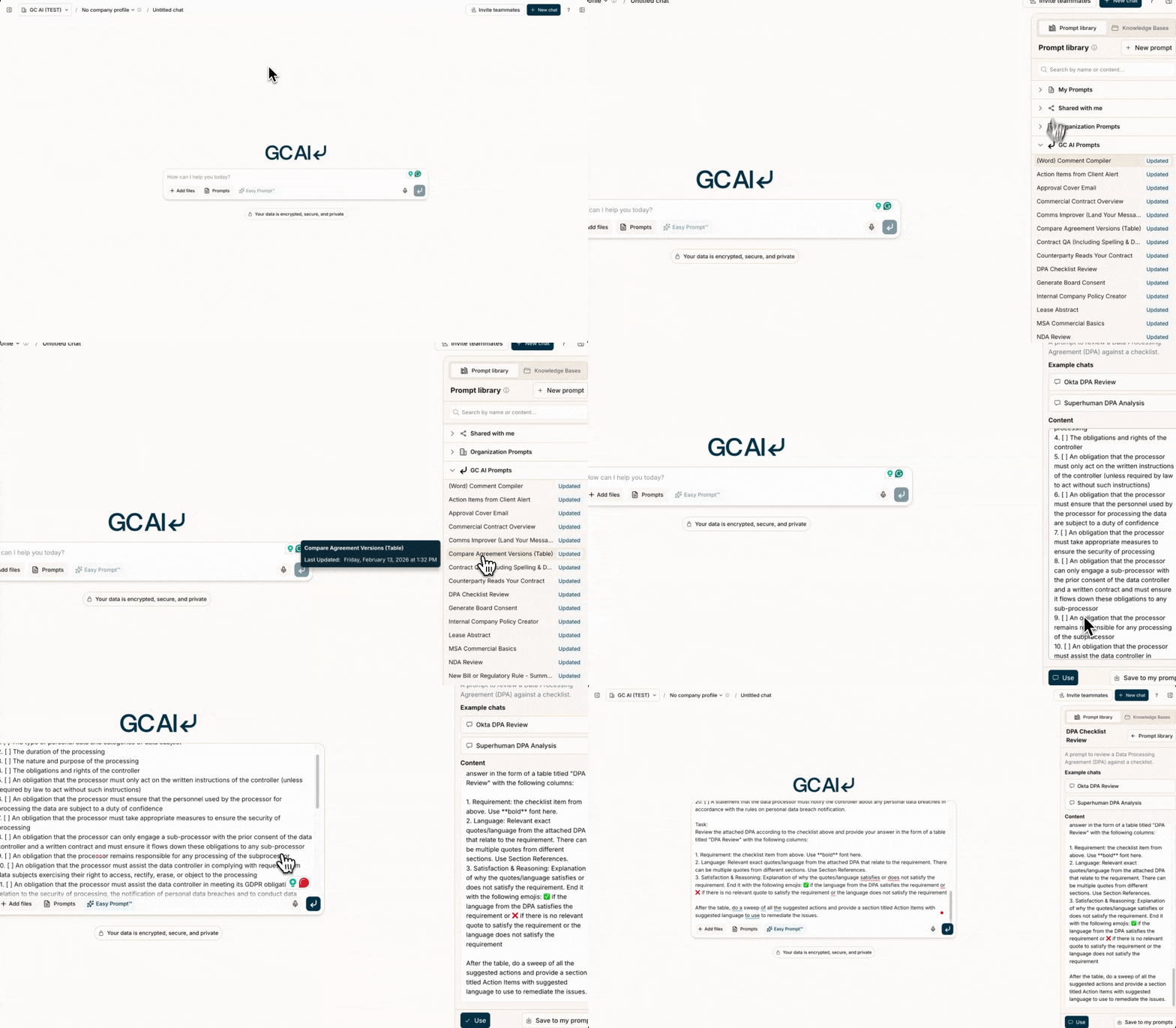
The Skill Library includes a curated collection of proven skills for common legal workflows. These templates are designed to help you get started quickly and achieve consistent, high-quality results from GC AI. Official skills are common workflows that have been created and refined by our team of in-house lawyers to simplify the use of GC AI across many legal domains. You can access GC AI Skills in three ways:- Type
/in the chat box and search across your skills and GC AI Skills. See Using Skills in Chat. - Browse the complete library in the GC AI Skills category within the Skill Library
- Search across all skills from the Skills search bar after opening it from the + menu in chat.
Search Functionality
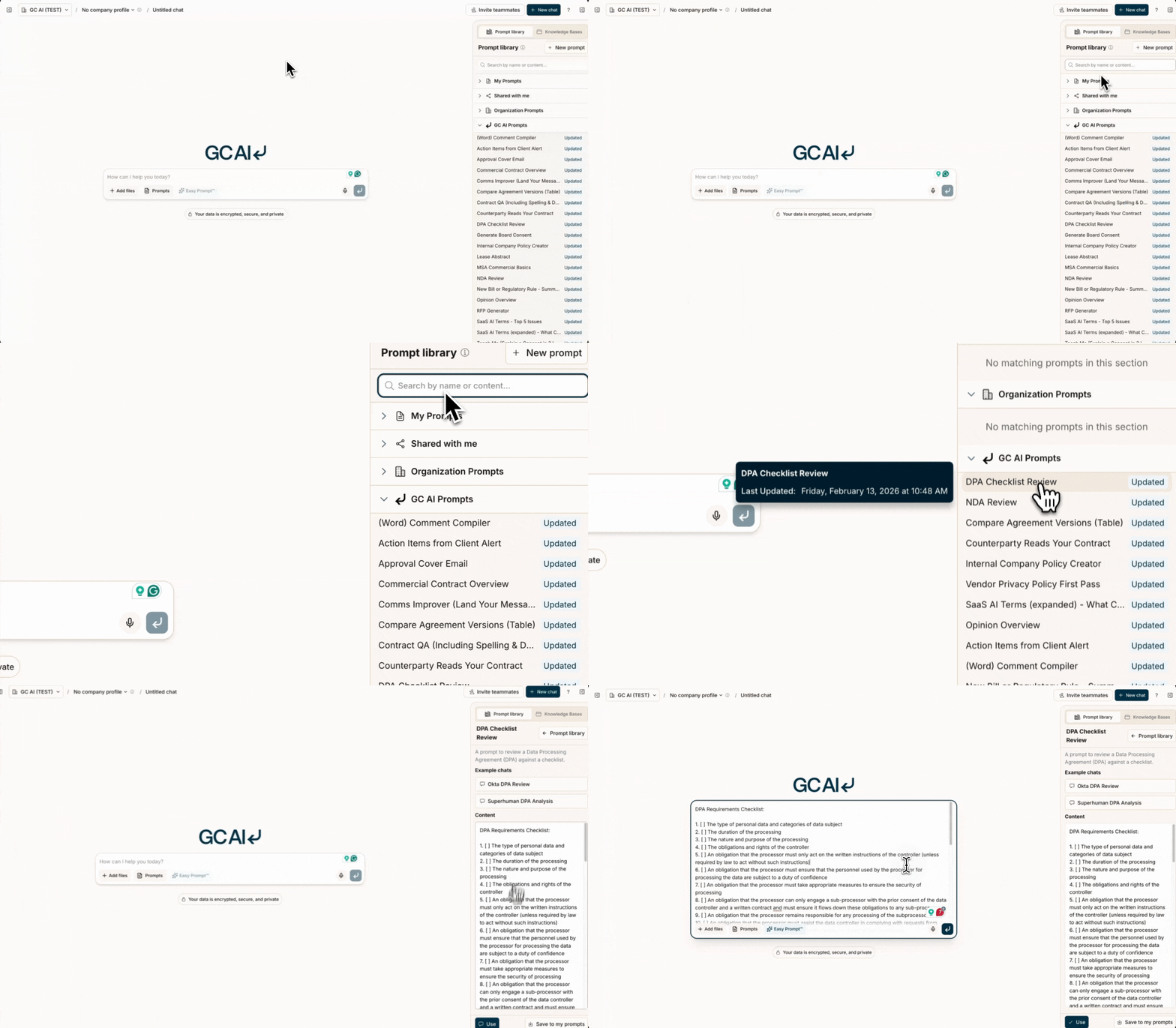
The Skill Library now includes powerful search capabilities that help you find the exact prompt you need instantly: Type/ in the chat box to search. You can also click the + button, select Skills, and use the sidebar search bar.
Skill Syntax
Official skills are written in Markdown format, which provides clear structure and formatting. You can learn more about Markdown syntax at the Markdown Guide. The Markdown format allows for:- Clear section headers using
#symbols - Bulleted lists using
-or* - Numbered lists using
1.,2., etc. - Code blocks using triple backticks ```
- Links using
[text](url)
Official Skills
Action Items from Client Alert
A prompt to summarize and generate action items from a client alert or news article.Please review this client alert or article for me.
# Client Alert
CLIENT_ALERT_LINK
# Task
Please give me:
1. The key takeaways from the article and law or other development it describes.
2. Your assessment of whether this applies to my company.
3. Action items for me or my legal team from it.
4. Ask me for any documents or policies for my company that might be needed to be updated based on your answer to 3.
Approval Cover Email
Aka: “Should I Sign This?” This prompt generates a cover email for someone you are asking to sign an agreement. It gives context and the key commitments, and it flags risk. Note that the prompt generally concludes with a “yes” because it assumes that you want the person to sign.# Background
I am attaching a draft agreement. I need a cover email for when I send the agreement to an executive for final approval and signature.
# Draft Agreement
Attached. Use citations.
# Task - What the Email Should Include
I'd like to provide the target exec with an email that explains
1. a short paragraph on what the agreement is and why we are asking for signature (including which party we are - eg if we are a customer or the vendor),
2. the major things our company is committing to under this agreement, and the major things we receive (commercial terms)
3. risks of which they should be aware (for example, if the agreement is difficult to terminate or there are unusual legal terms).
4. A final recommendation of why it's good or not good to sign. Include something they might doubt and ask me about.
Commercial Contract Overview
A prompt that gives you a thorough overview of a contract, assesses risks, is custom to your requirements, and provides suggested actions and guidance. Example: Solo Subscription Terms ReviewCONTRACT: Attached
# Instructions
1. Review the attached CONTRACT thoroughly.
2. First draft an overview as follows:
## Contract Overview
- Summarize the contract's purpose
- List the parties
- State the Effective Date and Duration
3. Then you MUST ask me the following questions and wait for a response before proceeding:
a. Do you want this reviewed from one party’s perspective? If so, please name the party.
b. Are there any provisions in addition to the ones stated in the "Contract Criteria" table that I should review?
c. What categories of the limitation of liability clause would you like uncapped?
d. What categories would you like the counterparty to indemnify for?
4. Then create a table: "Contract Criteria" where you analyze the following key provisions:
a. Payment Terms
b. Auto-Renewal
c. Term
d. Termination
e. IP Ownership
f. Confidentiality
g. Limitation of Liability
h. Indemnification
i. Governing Law
j. Assignment
k. Artificial Intelligence
l. Warranties
m. Warranty Disclaimer
n. Waiver
o. Feedback
p. Force Majeure
q. Severability
r. Order of precedence
5. Pay special attention to:
- Net 30 payment terms
- No auto-renewal clause
- No termination for convenience by counterparty
- Company should receive a full refund for termination for breach
- IP ownership where the party sending data continues to own that data
- Mutual limitation of liability
- Indemnification for counterparty
- Governing law (New York, Delaware, or California) with no arbitration
- Assignment restrictions (only to affiliate or successor in interest)
- No training AI with the data
- any unusual or standout clauses
6. For each provision in the "Contract Criteria" table:
- Extract the exact quote, including section/subsection name and number.
- Analyze how the quote aligns with our requirements or may be problematic.
- Assign an emoji: 🟥 (needs action), 🟨 (may need action, unclear), or 🟩 (does not need action).
- Provide specific action needed, proposed language, or guidance.
7. Use the following format for the table:
| Provision | Contract Quote | Analysis | Action |
|-----------|----------------|----------|--------|
8. When proposing language changes, use~~strikethrough~~ for deletions and **bold** for additions.
9. Ensure all quotes are accurate and analysis is thorough and objective.
10. Present your review in the following order:
a. Introductory paragraph
b. Contract Criteria table
Comms Improver (land your message)
This prompt reviews an email or memo to a stakeholder or customer and makes it better and more clear. Try it and watch clients love you more! 😎 Example: Email asking for Policy ApprovalI'd like your help landing my message well with stakeholders.
# Task
I'm going to give you a draft communication.
Please analyze it and give me recommendations based on my target audience.
If I don't tell you my target audience, ask me.
# Existing Draft Message
[PASTE_YOUR_EMAIL_DRAFT_HERE]
# Things to Look for
1. Is the message clear?
2. How's the tone? Does it channel effective lawyer and business person?
3. Is the structure good? Is the bottom line upfront? If not, should I reorder the communication?
4. Did I use clear words and avoid bring wordy? E.g. "At the present time" --> "Now", or "It's possible what we could" --> "We could"
5. Call-to-action clarity - how clear is it what the person needs to do in response to this communication?
# Recommendations
Give me recommendations based on the above.
# Potential New Draft
Give me what a new draft would look like with your recommendations above.
Compare Agreement Versions (Table)
Use this prompt to compare versions of an agreement. Understand what changed, in an easy table format. Or, tweak the prompt to compare similar agreements or any type, by concept. Examples:- Avalara Site Terms of Use v 4.0 versus v 3.0
- Snowflake Security Addendum 2024 v 2025
- Costco v. Nike’s Supplier Codes of Conduct
Please give me a table of the differences between these two agreements.
Give me column 1 being the original (NAME OF FILE), column 2 the new one (NAME OF FILE),
and an explanation of the differences. Use citations.
Is this overall a major update? Explain.
Contract QA
A prompt to QA a contract. Example: Asset Purchase Agreement Quality Assessment CONTRACT: Attached
# Instructions
1. Review the attached contract thoroughly.
2. Provide an introductory paragraph explaining the basic purpose and function of the contract.
3. Create a table with the following columns:
- Emoji: Representing the criterion or issue
- Criterion: Name of the criterion or issue
- Assessment: Use 🚨 (needs review), 🟨 (potential issue), or ✅ (compliant)
- Evidence: Exact elements, provisions, or quotes from the contract supporting your assessment and section numbers
4. Evaluate the contract based on these criteria:
a. Spelling: Identify any spelling mistakes
b. Grammar: Point out any grammatical issues
c. Definitions: Check if capitalized terms are properly defined
d. Trailing Off: Identify any abruptly ending sentences or sections
5. For each issue found, add a new row to the table. Look very hard for as many issues as possible.
6. After addressing the above criteria, identify any unusual or standout elements in this agreement, especially compared to similar agreements.
7. Create a separate table for these additional findings, using the same column structure as above.
8. Ensure your review is extremely thorough and comprehensive.
9. Format your response as follows:
# Contract Overview
[Introductory paragraph explaining the contract's basic purpose and function]
# Primary Criteria Review
| Emoji | Criterion | Assessment | Evidence |
|-------|-----------|------------|----------|
| [Emoji] | [Criterion Name] | [Assessment Emoji] | "[Exact quote or reference]" |
# Additional Findings
| Emoji | Issue | Assessment | Evidence |
|-------|-------|------------|----------|
| [Emoji] | [Issue Description] | [Assessment Emoji] | "[Exact quote or reference]" |
10. Ensure all information is accurate and based solely on the content of the attached contract.
Counterparty Reads Your Contract
A prompt to review a contract from the perspective of a counterparty. Examples:Take the role of the legal counsel for the other party for my company's contract attached or linked below.
LINK_TO_CONTRACT
# Task
Review the contract from the perspective of the legal counsel of the other party.
1. Create a table of the top 5 issues that you would want changed or negotiated, an explanation for each, and the exact language and section number giving rise to the issue.
2. Pretend you are the other side, and write me an email negotiating those 5 issues. Be detailed in your email.
DPA Checklist Review
A prompt to review a Data Processing Agreement (DPA) against a checklist. Examples:# DPA Requirements Checklist
1. [ ] The type of personal data and categories of data subject
2. [ ] The duration of the processing
3. [ ] The nature and purpose of the processing
4. [ ] The obligations and rights of the controller
5. [ ] An obligation that the processor must only act on the written instructions of the controller (unless required by law to act without such instructions)
6. [ ] An obligation that the processor must ensure that the personnel used by the processor for processing the data are subject to a duty of confidence
7. [ ] An obligation that the processor must take appropriate measures to ensure the security of processing
8. [ ] An obligation that the processor can only engage a sub-processor with the prior consent of the data controller and a written contract and must ensure it flows down these obligations to any sub-processor
9. [ ] An obligation that the processor remains responsible for any processing of the subprocessor
10. [ ] An obligation that the processor must assist the data controller in complying with requests from data subjects exercising their right to access, rectify, erase, or object to the processing
11. [ ] An obligation that the processor must assist the data controller in meeting its GDPR obligations in relation to the security of processing, the notification of personal data breaches and to conduct data protection impact assessments
12. [ ] An obligation that the processor must delete or return all personal data to the controller as requested at the end of the contract
13. [ ] An obligation that the processor must demonstrate its compliance with these obligations and submit to audits and inspections by the controller (or by a third party mandated by the controller).
14. [ ] An obligation that the processor must provide the controller with whatever information it needs to ensure that they are both meeting their obligations under the GDPR and must inform the controller when, in its opinion, the controller’s instruction would breach Union or Member State law.
15. [ ] A statement that the data processor can only act on the written instructions of the controller.
16. [ ] A statement that the data processor can not use a sub-processor without the prior written authorization of the controller.
17. [ ] A statement that the data processor must cooperate with authorities.
18. [ ] A statement that the data processor must ensure the security of its processing in accordance with the requirement to take appropriate technical and organizational measures.
19. [ ] A statement that data processor must keep records of its processing activities (unless exempt).
20. [ ] A statement that the data processor must notify the controller about any personal data breaches in accordance with the rules on personal data breach notification.
# Task
Review the attached DPA according to the checklist above and provide your answer in the form of a Markdown table titled ## DPA Review with the following columns:
1. Requirement: the checklist item from above. Use **bold** font here.
2. Exact Quotes: Relevant exact quotes/language from the attached DPA that relate to the requirement. There can be multiple quotes from different sections. Use Section References.
3. Satisaction & Reasoning: Explanation of why the quotes/language satisfies or does not satisfy the requirement. End it with the following emojis: ✅ if the language from the DPA satisfies the requirement or ❌ if there is no relevant quote to satisfy the requirement or the language does not satisfy the requirement
After the table, do a sweep of all the suggested actions and provide a section titled ## Action Items with suggested language to use to remediate the issues.
Generate Board Minutes or Consent
A prompt to create minutes for a company board meeting. Example: Appointing Ally McBealPlease help me put together board minutes under Delaware law for my company based on the following. My goal is that for board meetings I can just input this basic info, press a button, and have draft minutes that would have the correct basic starting language, formatting, etc.
# Questions
Ask me the following questions.
1. Is this a draft by unanimous written consent (UWC), or are these minutes of a live meeting?
2. If it was a live meeting, please ask: (a) who are the attendees? (b) where was the meeting held (zoom, our HQ, another place), (c) what was the meeting start time and date?
3. If live meeting, ask me, what are the topics to be discussed at the meeting? If UWC, what are things to be approved?
4. If live meeting, for each topic you provided in 3, who lead the discussion?
# Document to create based on Questions
Then once you have my answers, create a document that includes
A. If a live board meeting, the attendees, location, date, and time indicated by the user in 2
B. For either UWC or minutes of live meeting, standard lead-ins based on what user said in response to 1 above.
C. For UWC, a roman numeral header for each topic given to you in response to 3. For minutes of a live meeting, a roman numeral header of the topic, then in the body, a sentence saying ""[Person Leading discussion provided in 4 above] lead the group in a discussion of .."
D. Omnibus resolutions
F. For UWS, the Signature Area. For meeting minutes, a signature area that has a place for the signature of the Corporate Secretary, acting as secretary for the meeting.
# Lead In to Use for UWC
""[COMPANY NAME]
ACTION BY UNANIMOUS WRITTEN CONSENT OF THE BOARD OF DIRECTORS
Pursuant to Section 141(f) of the Delaware General Corporation Law (the “DGCL”) and the bylaws of Replit, Inc., a Delaware corporation (the “Company”), the undersigned, constituting all of the sitting members of the board of directors of the Company (the “Board”) sufficient to constitute a quorum of the total votes of the directorships on the Board pursuant to [RELEVANT ARTICLE] of the Company’s Amended and Restated Certificate of Incorporation (the “Charter”), hereby adopt the following resolutions:""
# Omnibus Resolutions to Use for Both
""Omnibus Resolutions
RESOLVED: That the officers of the Company are hereby authorized to take any and all such further action, to execute, deliver and file any and all such further agreements, instruments, documents, certificates and communications and to pay such expenses, in the name and on behalf of the Company or such officer, as any such officer may deem necessary or advisable and may approve to effectuate the purposes and intent of the resolutions hereby adopted, the taking of such actions, the execution, delivery and filing of such agreements, instruments, documents, certificates or communications and the payment of such expenses by any such officer to be conclusive evidence of such officer’s authorization hereunder and the approval thereof.
RESOLVED: That any and all actions taken by the directors or officers of the Company to carry out the purposes and intent of the foregoing resolutions prior to their adoption are approved, adopted, ratified and confirmed.""
# Signature Area to Use for UWC (*NOT* Meeting Minutes)
""IN WITNESS WHEREOF, the undersigned has executed this Action by Unanimous Written Consent of the Board of Directors as of the date set forth beside such person’s signature. This action shall be filed with the minutes of the proceedings of this Board of Directors and shall be effective as of the date the last signature is obtained. Any copy, facsimile or other reliable reproduction of this action may be substituted or used in lieu of the original writing for any and all purposes for which the original writing could be used, provided that such copy, facsimile or other reproduction be a complete reproduction of the entire original writing.""
Internal Company Policy Creator
A wizard prompt that guides you through creating any kind of internal company policy. Example: Crafting Secondaries Policy# Context
I need help creating an internal company policy.
# Task
First ask me what kind of policy I want to write and what specific points you want to hit in the policy.
Then ask me 3-5 clarifying questions about what I want to include in that company policy and what jurisdictions.
Then keep asking me clarifying questions and doing research and reflecting on your own knowledge until you have enough to draft an outline of the policy.
Then draft an outline of the policy.
Then ask me for feedback on the outline.
Then draft 1 section at a time and ask for feedback before moving on.
Finally when all the sections have been completed and I am happy with each one, combine them all into one message. If you are about to be cut off - tell the user to just write continue.
Lease Abstract
A prompt to extract and summarize the relevant terms in a lease in a table format Examples:LEASE_DOCUMENT: [ATTACHED]
# Instructions
1. Analyze the attached LEASE_DOCUMENT and draft a one-sentence summary setting forth the parties, date, term, and property leased.
2. Then, create a comprehensive lease abstract in table format based on the attached lease document. The table should have three columns:
- Term
- Summary
- Section Reference
3. For each term, provide:
- A concise yet thorough summary of the relevant lease language
- The exact section reference in both a citation and the name of the relevant section (e.g., Section 3.2(ii))
4. Analyze and extract information for ONLY THE SPECIFIED PROVISIONS IN THIS LIST:
a. Basic Information:
- Date of lease execution
- Parties (landlord and tenant)
- Premises type (office, retail, industrial, etc.)
- Premises square footage
- Base Rent
- Additional Rent
b. Term Structure:
- Lease term (duration)
- Commencement date
- Expiration date
- Renewal options (including notice periods and renewal term length)
- Security deposit
d. Rights and Options:
- Rights of First Offer (ROFO)
- Rights of First Refusal (ROFR)
- Purchase options
- Expansion options
- Termination options
e. Assignment and Subletting:
- Assignment provisions
- Change of control language
- Subletting restrictions
- Consent requirements
f. Other Key Provisions:
- Guarantor information
- Environmental indemnifications
- Bankruptcy provisions
- Notice information (include full notice method and address)
g. Unusual Provisions:
- Any non-standard or unusual clauses
5. For each provision, include the exact citation to the lease document using the format <cite id="snippet_uuid"/> after quoting or referencing specific language.
6. If any requested information is not found in the lease, indicate "Not specified in lease" in the summary column.
7. Present the information in a clean, well-formatted table that is easy to read and reference.
MSA Commercial Basics
A prompt to review a vendor agreement for commercial basics. Examples: VENDOR_AGREEMENT: LINK_OR_ATTACHED
# Instructions
1. Review the VENDOR_AGREEMENT thoroughly.
2. Analyze the following 8 key provisions from the perspective of us as the customer:
a. Payment Terms
b. Invoices
c. Auto-Renewal
d. Term and Termination
e. Effect of Termination
f. Limitation of Liability
g. Indemnification
h. Intellectual Property Rights
3. Create a table with the following columns:
| Provision | Contract Quote | Analysis | Action |
4. For each provision:
- Extract the exact quote, including section/subsection name and number.
- Analyze how the quote aligns with our requirements.
- Assign an emoji: 🚨 (needs action), 🟨 (may need action, unclear), or ✅ (does not need action).
- Provide specific action needed, proposed language, or guidance.
5. Pay special attention to:
- Net 45 payment terms
- Payment by check or ACH, not credit card
- No auto-renewal clause
- Term ≤ 1 year, no vendor termination for convenience
- Buyer not responsible for payment if vendor breaches or terminates for convenience
- Uncapped liability for data breaches, IP infringement, gross negligence
- Broad vendor indemnification (confidentiality, data protection, contract breaches)
- Ownership or broad, perpetual licenses for customizations and deliverables
6. Present the analysis in the specified table format.
7. After the main table, create a second table titled "Proposed Alternative Language" with the following columns:
| Provision | Current Language | Proposed Language | Justification |
8. In this second table, for any provisions marked 🚨 or 🟨 in the main table:
- Include the current problematic language
- Propose alternative language that better aligns with our interests.
- Provide a brief justification for the proposed changes
9. Ensure all quotes are accurate and analysis is thorough and objective.
NDA Review
A prompt to review an NDA for a new vendor. Examples:# Task
Follow these steps:
First, carefully read the entire NDA attached, and answer the 16 questions listed below. For each answer:
- Provide exact quotes from the NDA, including section references (names and/or numbers when possible)
- Use 3 or more sentences to analyze the risk if there is moderate or high risk or explain why there is low risk.
- Assign a risk level using one of these emojis:
- 🚨 High risk, needs closer review
- 🟡 Moderate risk
- 🟢 Low risk
Present your answers in a table with the following columns:
- Question
- Answer
- Exact quote with reference
- Risk assessment
- Risk level
Be risk-conscious in your assessment.
If you cannot find information related to a specific question, state so. If the question is asking you to confirm the lack of a particular term then it's low risk when it's not found.
Here are the questions to answer:
1. Signing Parties: Confirm the legal names of all parties and that my company is one of the signatories, and that the party is written to include affiliates of that party.
2. What is the nature of the NDA? Is it mutual or one-way, and if one-way, whose information does the NDA apply to? If one-way, it is high risk, tell me to review it.
3. How does the NDA define confidential information?
4. What are the exceptions to confidential information?
5. What's the duration of the confidentiality obligation? How does it terminate?
6. What law governs the NDA? We prefer US law.
7. What, if any, limits are there on what the recipient may do with the confidential information (often called the purpose)?
8. Is there a destruction requirement when the contract ends?
9. Any exclusion from the destruction requirement for standard data retention or backup processes?
10. What does the NDA say about remedies for a breach?
11. Is the existence of NDA itself confidential?
12. Confirm there is NOT a transfer of IP.
13. Confirm there is NOT attorney's fees. We do not want attorney's fees.
14. Confirm there is NOT Indemnification.
15. Confirm there is NOT residual knowledge provision.
16. Confirm there is NOT a non-solicitation obligation on either party.
Then read it again with an eye towards identifying any terms or provisions that are atypical for a standard NDA other than any already flagged above. Are there any atypical, peculiar or unusual terms for an NDA? Include all that you find that you didn't already flag in the first table. Be very thorough and think carefully. If you do find such a provision, explain it, and mark it as at least medium risk. This is important to get right. For each one that you find, create a new row in a new table with the following columns:
- Provision
- Why it's atypical
- Exact quote with reference
- Risk assessment
- Risk level
New Bill or Regulatory Rule - Summarize
A prompt to get a summary of a new bill or regulatory rule and then help create an email for stakeholders with action items. Examples:- Illinois HPA - Bill Impact
- Louisiana House Bill No. 577
- Utah AI Act Overview
- OSHA Heat - Proposed Rule
A new bill, regulatory rule, or guidance ("the doc") came out that may affect our business. It's attached.

1. Please first ask me if I know if the doc has taken effect yet. If I answer "I don't know," then please look it up. Otherwise, please proceed with what I told you.
2. Then give me an 8-bullet summary of the doc. In your response, ask me if I'd like an overview for my business stakeholders.
3. If I agree that I want an overview, give me an email to send to stakeholders about the bill. Make the email detailed and have three sections: (a) an intro, (b) the bullet summary, and (c) 3-5 action items for the business from it.
Opinion Overview
A prompt to summarize a legal opinion. Examples:- FTC’s New Stance on MLM Legalities
- Keebah v Warner Bros - Sign In Wrap - 9th Cir
- Supreme Court CFPB Ruling
Give me an overview of this opinion to orient me to it. I want

1. What court it's from, what date, and who the parties are
2. A three-bullet summary of it
3. Four interesting quotes from it
4. An email draft I could use to send to the executive team with four bullet points for implications for our company
RFP Generator
A prompt to generate a custom RFP for outside counsel. Asks you for the type of matter and some other factors, then generates an RFP you can send out to firms to bid on your matter. Examples:Help me draft an RFP for outside counsel to represent our company. I’d like you to ask me some questions and then use my answers to fill in the template below.
# Questions to Ask Me & Instructions Based on My Answers
1. Who is the contact at your company for the RFP? (their name & email).
a. Use that contact as needed in the RFP.
2. What matter are you looking for outside counsel to help with specifically?
a. Use this {MATTER NAME}
3. What type of matter is it? For example, litigation, a corporate matter, an IP portfolio, a regulatory matter, ongoing employment work, ongoing corporate work).
a. Depending on user’s answer - include in RFP: What are 3 similar [TYPE OF MATTER] your firm has handled?
4. What are the gnarliest questions or strategic questions that you are thinking will be an issue in this case or matter? For example, whether and when to settle, whether to argue an affirmative defense, executive personalities, keeping your investors pleased, ensuring no disruption to your internal team, getting the absolute highest quality, etc?
a. Based on the users answers,
i. fill in the {BACKGROUND} section
ii. Develop 2 custom questions
5. Do you want to ask the firm to do anything special in terms of pricing such as an alternative fee arrangement such as a flat rate by phase of litigation, type of IP filed, regulatory matter handled, or just discounted hours?
a. Based on the answers fill in the {PRICING EXPLANATION} portion
# Template to Fill in Using My Answer
## RFP to be our counsel for {Matter Name}
Hello, we are delighted to invite your firm to participate in on our RFP for {MATTER NAME}. At {COMPANY NAME}, we collaborate deeply with our outside counsel partners to win both on the merits and on the quality, efficiency, and smarts we bring to the matter. Ultimately our goal is the success of COMPANY, and we are at our best when our outside counsel have that same spirit and commitment to our matters.
We’ve prepared questions for you below and look forward to your answers. If you have questions about the process, please email {EMAIL ADDRESS}
## Engagement Requirements
* Abide by our Outside Counsel Guidelines. Certain provisions may not be applicable to this particular engagement.
* Run a conflicts check and confirm that no conflicts exist. Note: We consider conflict waiver requests on a case by basis; no advance or blanket conflict waivers.
* If other service providers are needed (for example for e-discovery), agree to use our service provider or software that we select if we choose to have that work done by a party other than your firm.
## Written Responses Required
1. Legal name of your firm, address of headquarters office, and address of each office at which services will be provided.
2. Any business or personal relationships the bidder has with Company or any of its management.
3. Name and contact information of the attorney responsible for this relationship.
4. Name, contact information and bio for each member of the proposed team. Explain why each individual has been proposed.
5. Descriptions of at least 3 similar matters worked by members of the team, approach taken, and disposition.
6. Provide a 2-page narrative stating what you see to be the key issues and challenges in this matter, and what will be the strategy and approach you will use to address these issues and challenges. [a]
7. Agree to abide by the engagement requirements as stated above.
8. Please provide three references from clients for whom you have handled a similar matter.
9. {Custom Question One}
10. {Custom Question Two}
## Pricing proposal
We welcome creativity in fees you propose or structure for this arrangement, and ideally this is a win-win for both us and your firm. {PRICING EXPLANATION}
If we agree to alternative pricing or you propose a structure this RFP, hourly work may not be performed on this matter without specific written approval from the company. In case hourly rates are approved, please provide the standard hourly rate for each team member that will be working on this matter along with the corresponding discounted rate that you propose to offer us for each member of the team.
## Terms and conditions
Please submit an electronic version of your proposal to {CONTACT NAME} at the email address: {CONTACT EMAIL}
All information provided by us in connection with this RFP, including the fact that this RFP process itself is underway, shall be considered privileged, confidential, and proprietary information of our company and must not be disclosed to individuals outside of your firm without prior written approval from us. All documentation and/or ideas submitted by your firm shall become the property of us. Please note that we may be currently represented by counsel in this matter and you are not authorized to contact them to discuss this RFP.
Should you have any questions regarding this RFP process, please contact {CONTACT NAME} at {CONTACT EMAIL}. Do not contact any other company employee concerning this RFP. Failure to adhere to this requirement will be grounds for disqualifying your proposal.
We may accept any proposal received without further negotiations or discussions or after further interviews with the finalist law firms. Initial proposals in response to this RFP should, therefore, set forth the most favorable terms and conditions that you are prepared to offer. Please also provide succinct responses that clearly answer each question. Brevity and clarity are appreciated.
This RFP does not bind us to any obligations, or impose liability for any costs or expenses incurred by your firm in responding to the proposal or traveling to an interview in connection with this RFP. We, in our sole discretion, may or may not make an award, and reserves the right to reject any and all responses received. We also reserves the right to terminate the engagement at any time without cause or if we are not satisfied with the performance of the bidder.
## Evaluation Criteria
While we encourage each bidder to submit its best proposal in terms of fees, we will award the matter to the bidder in our sole discretion based upon a combination of experience, proposed team, strategy/approach, and the greatest overall value.
SaaS AI Terms - Top 5 Issues
A prompt to review the terms of a SaaS AI product. Example: HubSpot AI Terms ReviewPlease review the legal terms for a SaaS product we are considering buying. I'd like you to provide a table of the top 5 issues that you might highlight in these terms as risky or unusual for customers of this product that I should be aware of. I am most interested in whether and how this service can use my company's data for AI model training or learning.
# Opening Paragraph
Give me a general assessment of whether this vendor has thought about the use of AI and data. Does the contract show they are concerned about this with their customers?
# Table to be provided after the paragraph
The columns should be: item, why it's risky, the exact quote in the terms of use that you are relying on for that assessment, and then an emoji representing if it's something I should further review (✅ for review not needed; 🟨 for consider reviewing; ❌ for this must be reviewed by a lawyer).
# Link to terms
SaaS AI Terms (expanded) - What Can Vendor Do with Data?
A prompt to review the terms and privacy policy of a SaaS vendor to see if they can use your company data for AI model training. Example: Tealium AI Terms Review# Context
I’d like to understand whether a SaaS vendor can train an AI or ML model on data that my company inputs into their platform as a customer of theirs.
## Subscription Terms / Agreement
[INSERT TERMS LINK HERE]
## Privacy Policy
[INSERT PRIVACY POLICY LINK HERE]
# Tasks
1. Use a table to write down your thoughts and gather the necessary information (including quotes) for each question from the terms and privacy policy.
2. Based on the supporting questions come up with a final answer.
## Supporting Questions
* What does the subscription agreement allow the vendor to do with my company’s information or data?
* Does the subscription agreement allow use of data to “improve” the services of the vendor, if so what kind?
* What does the privacy policy allow the vendor to do with my company’s information or data?
* Does the privacy policy allow use of data to “improve” the services of the vendor, if so what kind?
* Does either agreement explicitly address AI, ML, or the training of a model? If so, what does it say?
* Would clickstream or other automatically collected data about my company’s interactions with the platform be allowed to be used for training an AI model?
* Would text or other information my company inputs to the vendor's platform be able to be used for training an AI model?
* Does any provision mention use of anonymized or de-identified data and how it can be used?
## Table of Supporting Questions
Step by step, answer the following questions, in a table, where each question is a row and the columns are
(i) the question title
(ii) the exact quote used to develop your answer, the agreement it came from, and its section number
(iii) your answer, reasoned through step-by-step
(iv) an emoji representing your answer 🚨 to represent if I need to review more closely because it indicates the company can use my information for AI training, 🟨 if it is unclear, and ✅ if there is no risk because it indicates they cannot use my information for AI training. Be risk-conscious.
## Final Answer
Based on all the information above, answer the question, “Can this vendor train on our company’s data, and if yes or maybe, how and what kind?” Provide a breakdown of your reasoning before giving your final answer.
Teach Me (Explain a Concept in 3 Levels)
This prompt explains a concept of your choosing in three ways: (a) law firm style, (b) in-house style with the practical effect, and (c) for your business or other non-legal stakeholders. Try it! You can also tweak to add an audience. Examples:- The Magnuson–Moss Warranty Act
- FDAMA (Food and Drug Administration Modernization Act)
- The Patentability of Software
- California’s Sexual Harassment Training Requirement Under Govt Code 12950.1
Legal Topic: [INSERT YOUR TOPIC HERE]

# Task

For the above a legal topic, I'd like you to educate me about it with explanations for three different audiences, in decreasing levels of complexity. I'd like you to look up articles and sources on the topic when needed. Below are the audiences. Ask me the topic, then go. For each audience, write 4-6 sentences in prose.

# Three Audiences

1. Start off explaining like it I am a senior partner at a law firm who practices in the topic. Use and link to case and/or statutory citations that you find, and in general assume a very high level of sophistication.

2. Then I want you to explain assuming that you are writing for a smart group of in-house lawyers who are great and sophisticated lawyers. They want the legal framework with some legal nuance, plus the practical effect of the law.

3. Then assume you're explaining it for business people at our company who are not lawyers. They care about the law as applied to us. Use no more than a 12th grade reading level.

# Follow Up

After you provide the three explanations, ask me if I'd like you follow up or learn more, or perhaps if I'd like you to provide more analysis or help me work through the implications.
Vendor Privacy Policy First Pass
A prompt to review a vendor privacy policy. Examples:# Context
We are bringing on a new vendor, and I've been asked to review the privacy policy to determine if it's acceptable for our company's data to be used as the vendor describes.
# Task
Please create a table of the attached privacy policy with 5 rows. Each row is a quote from a provision notable for being a yellow or red flag, and the table's columns are based on the fields below.
# Paragraph before the table
Explain what this vendor does as a business and will likely do for our company.
# Columns for Table
1. Provision name.
2. Exact quote of notable provision.
3. Reasoning of why this quote is notable.
4. Flag (🟨 for yellow flag, potentially unacceptable as defined below, or otherwise risky. 🟥 for red flag, definitely unacceptable as defined below or otherwise very risky.)
# Policy to review
LINK