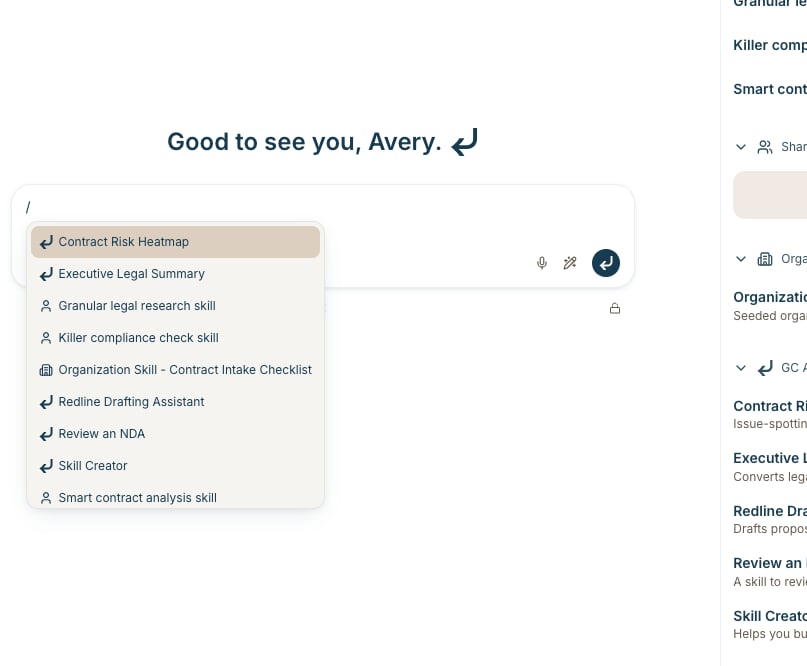
Skills are reusable instructions you attach to a conversation. Keep the question short. GC AI reads the skill’s full instructions, plus any files linked to the skill, as dedicated context.
For how to write and share skills, see How to Create and Use Skills. For ready-made starting points, see the Official Skill Library.
Attach a skill with /
- Click in the chat box
- Type
/
- Start typing a skill name to filter the list
- Press Enter or click a skill
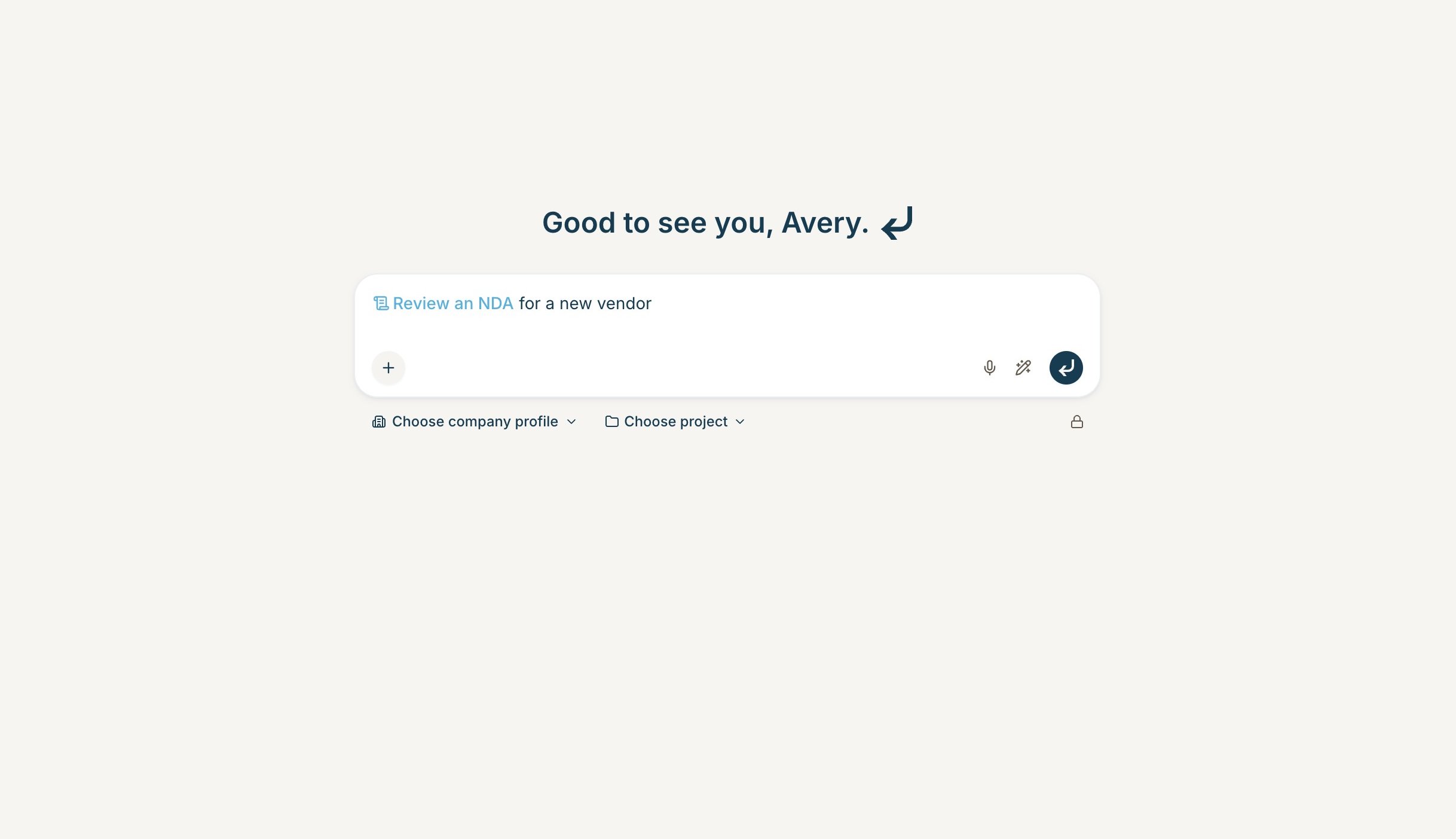
- Type your question next to the skill and send
An empty chat box also says Type / for skills.
On desktop, the skill appears as a chip in your message. Keep typing after it. Type / again to attach another.
On a phone, attached skills appear as compact badges above the box.
If you attach a GC AI Skill that copies supporting files into the chat, wait until those files finish attaching before you send.
You can still browse skills from the + button.
- Click the + button in the chat box
- Select Skills
- Search or browse My Skills, Shared with Me, Organization Skills, and GC AI Skills
- Click a skill to attach it
The sidebar shows descriptions. Use it when you want to read before you pick.
After you send
Click the skill chip or badge to open it. From there you can read the instructions, edit the skill, or share it.
Create a skill from chat
Type / and select Skill Creator from GC AI Skills. Describe the workflow you want. GC AI asks follow-up questions, drafts the skill, and saves it to your library. See How to Create and Use Skills for the full create and edit flow. Last modified on August 19, 2026