How GC AI researches the web: when it uses Web Search vs. the Research Agent, how sources are prioritized, and how citations are built.
GC AI can search the web to find current information, verify legal citations, and gather authoritative sources. It uses two different approaches depending on the complexity of your question: a quick Web Search for straightforward lookups, and a Research Agent for questions that need deeper investigation.
GC AI automatically chooses the right approach based on what you ask.Web Search is a quick lookup that returns results from authoritative sources. GC AI uses it for questions that can be answered with one or two searches, such as:
Looking up what a specific statute or regulation says
Checking whether something is legal in a particular state
Finding requirements for a specific topic
Comparing two jurisdictions on a single issue
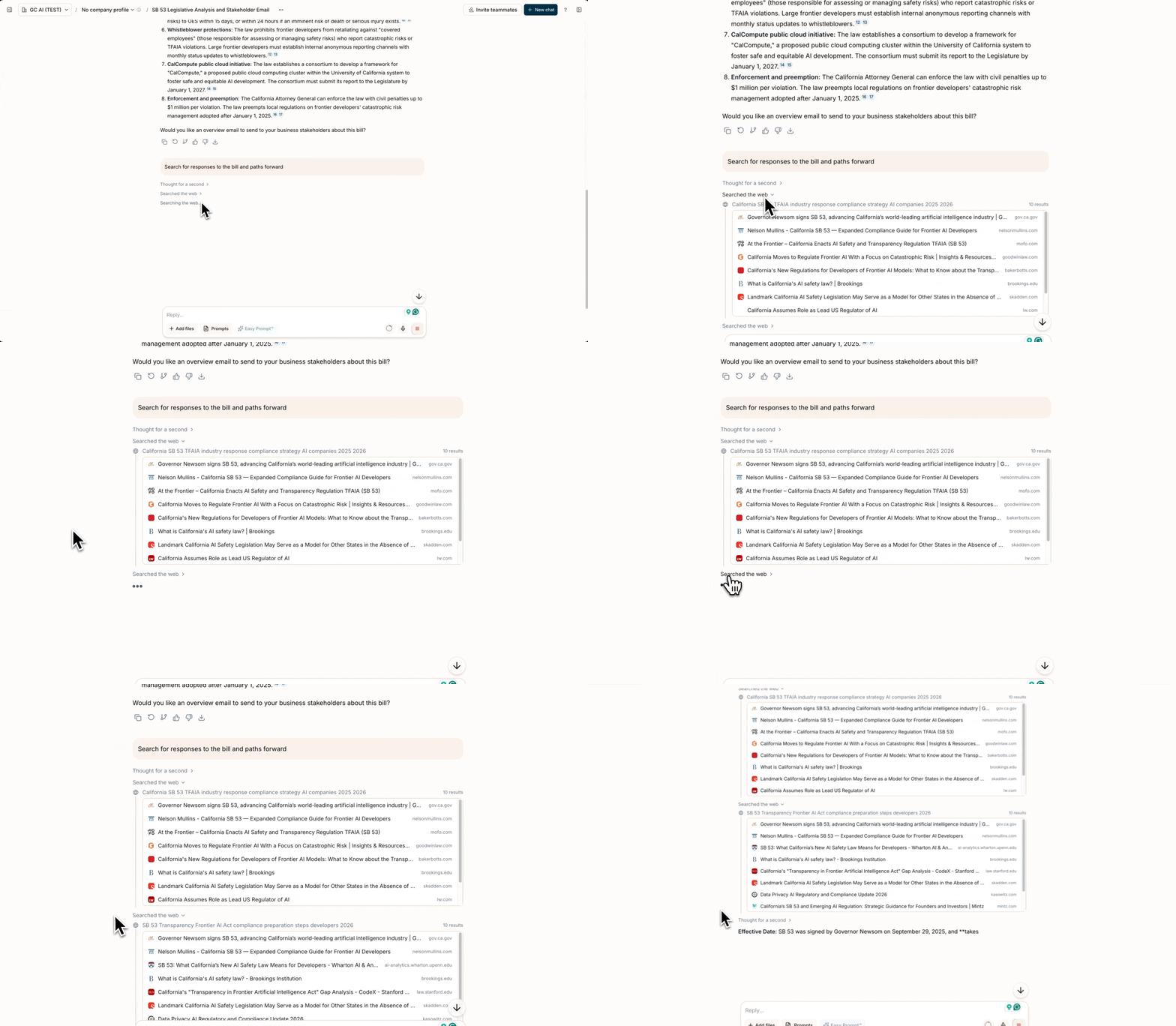
When Web Search runs, you’ll see a compact “Searched the web” indicator in the chat. You can expand it to see the search query and the sources that were retrieved. GC AI may run multiple web searches in parallel if your question touches on a few distinct points.Research Agent is an autonomous researcher that GC AI deploys for more complex questions. The Research Agent runs its own searches, reads full pages when excerpts are not enough, and iterates until it has a thorough answer. GC AI uses it when a question requires:
Multiple rounds of searching, where findings from one search inform what to search next
Cross-referencing three or more independent sources to resolve conflicts or build a complete picture
Surveying multiple jurisdictions (for example, “which states have AI healthcare laws?”)
When the Research Agent is active, you’ll see a progress card in the chat showing the research thread and its current status. For multi-part questions, GC AI may launch several Research Agents in parallel, each investigating a different aspect of your question.
When your question requires web research, GC AI follows a structured process:
Routing: GC AI analyzes your question and decides whether a quick web search or the Research Agent is the right approach.
Searching: For web search, results come back quickly with search excerpts. For the Research Agent, it plans and executes multiple searches in parallel, then fetches full page content from official sources when it needs exact statutory language or precise citations.
Source Prioritization: Results are ranked by source authority. Primary sources (statutes, regulations, case law, government guidance) come first, followed by authoritative secondary sources (law firm publications, legal journals, bar associations), then general sources. Reference sites like Wikipedia are used for background understanding but are never cited.
Synthesis: GC AI combines findings into a response with citations linking back to original sources, including hyperlinks to official statute and regulation text.
GC AI uses web search or the Research Agent any time your question involves:
Any specific statute, regulation, or rule, even if you’re just asking for an explanation
Current legal developments, regulations, or case law
Recent news or events relevant to a legal matter
The legal basis or authority for a specific duty or obligation
Drafting that references or cites specific laws or regulations
Multi-jurisdiction comparisons
Information that may have changed since the AI’s training data
GC AI answers directly from its training (without searching) only for general concept explanations, standard document element descriptions, common business or financial concepts, and general procedural questions.
Be specific: Include jurisdictions, time frames, or specific legal topics for targeted results.
Provide context: Explain what you’re looking for and why. This helps GC AI formulate better search queries and choose the right research approach.
Combine with documents: Upload relevant documents and ask GC AI to research related topics for comprehensive analysis.
For surveys, name the scope: If you want a multi-jurisdiction survey, say so explicitly (for example, “which states require X?”). This tells GC AI to deploy its survey research workflow, which systematically checks each jurisdiction rather than relying on a single broad search.
Last modified on September 23, 2026
Was this page helpful?
Assistant
Responses are generated using AI and may contain mistakes.


 GC AI can search the web to find current information, verify legal citations, and gather authoritative sources. It uses two different approaches depending on the complexity of your question: a quick Web Search for straightforward lookups, and a Research Agent for questions that need deeper investigation.