File Organization
GC AI Files help you organize your legal documents in a structured, searchable system. With proper organization, you can quickly find and use your documents when needed.
Folder Structure
- Create nested folders to organize documents by project or type
- Use consistent naming conventions for folders and files
- Search across all files regardless of folder location
- Access multiple file spaces (My Files, Shared, Organization Files) in a single chat
- Drag and drop files directly into chats, or use the
+ menu to select Add from computer or Add from Files (which opens the sidebar to Files and focuses search)
- See file badges showing which documents are attached to your current chat
Organization Types
GC AI provides three main organization areas for your documents:
- My Files - Your personal document storage, visible only to you
- Shared with me - Documents others have shared with you
- Organization Files - Team-wide document storage for collaboration
Creating an Organized Structure
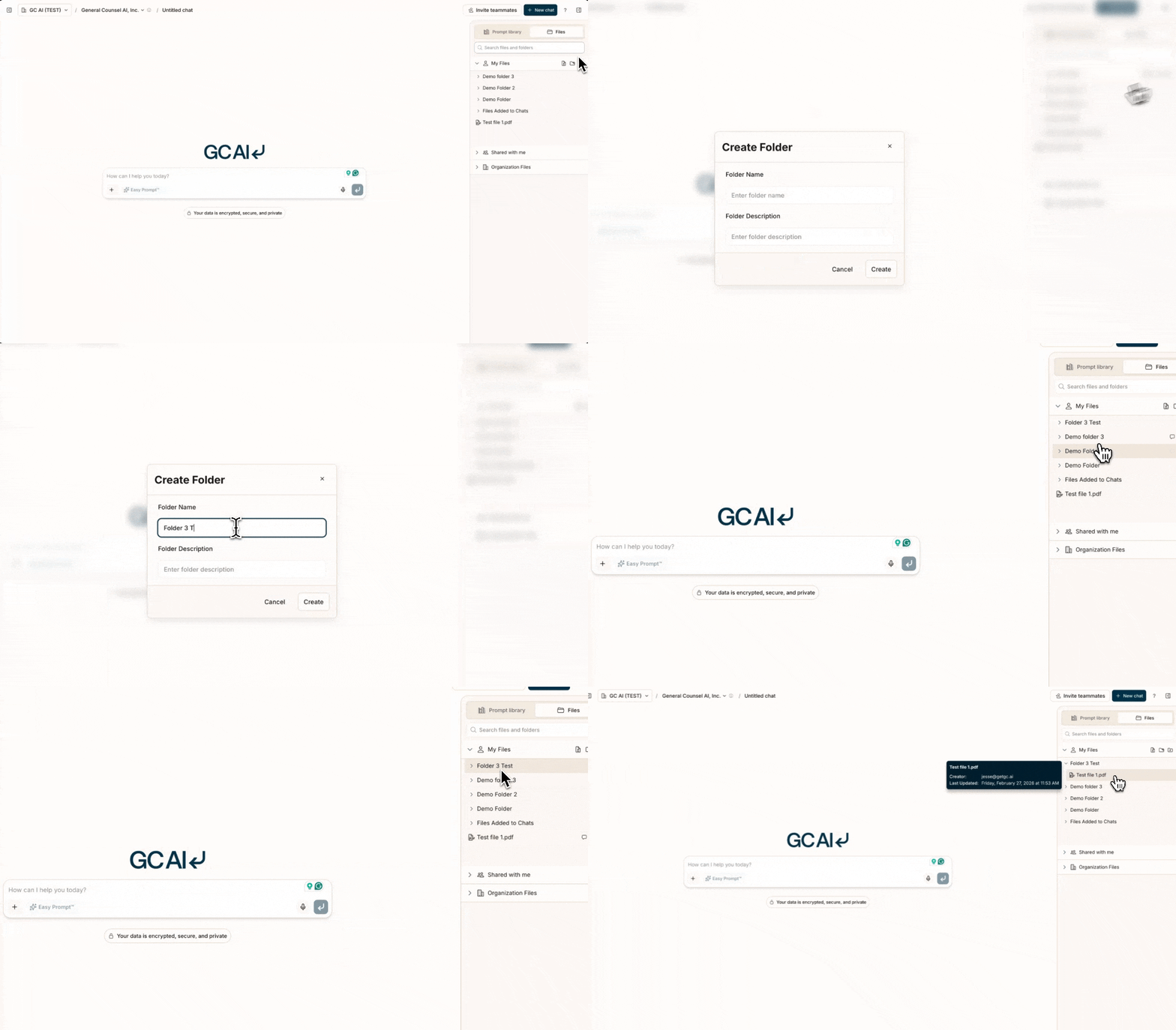
To create a new folder:
- Open the right sidebar
- Select My Files or Organization Files
- Select Create Folder
- Name your folder using a clear, descriptive title
- Upload your documents to the appropriate folder
Sharing Documents
Share your folders and files with team members:
- Right-click on any file or folder
- Select Share
- Choose sharing options:
- Specific individuals (by email)
- Your entire organization
- Private (keep to yourself)
Document Updates
When updating documents:
- Delete or keep the previous version
- Upload the new version to the same folder
- Use GC AI to analyze differences between versions
- Consider using version numbers in filenames (e.g., Policy_v2.1)
Search Capabilities
GC AI’s powerful search helps you find documents across your files:
- Results appear instantly from all accessible files
- Filter results by file type or collection
Create and document your organization system early. It’s much harder to
reorganize later when you have hundreds of documents.
Google Drive Integration
You can also import files directly from Google Drive. See the Google Drive page for setup and usage details.