

Citations
GC AI automatically includes citations when referencing information from your documents. Citations help you verify sources, navigate to original content, and maintain accuracy.How Citations Work
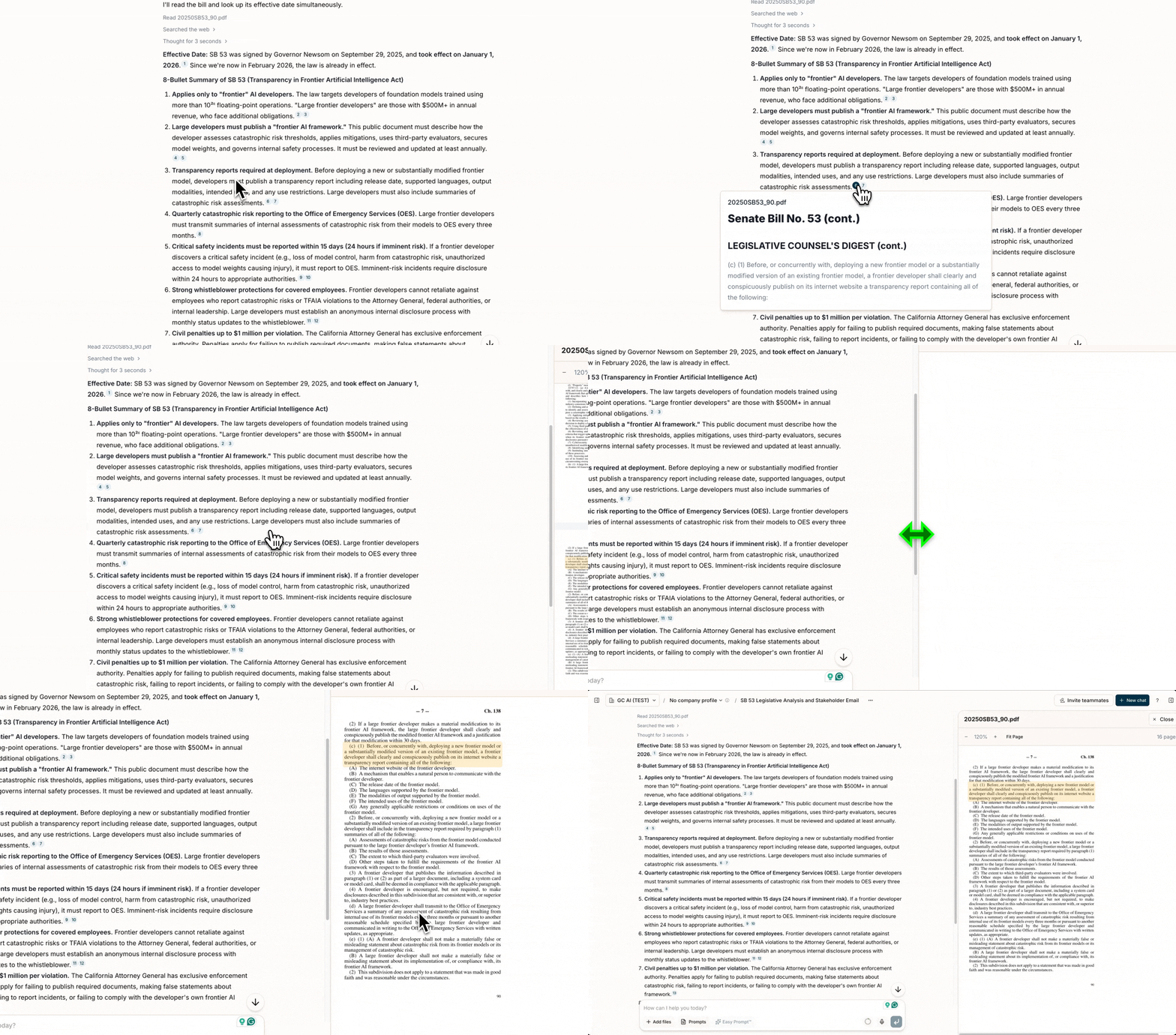
When GC AI references information from your documents in Files, it includes numbered superscript citation badges in its response. These citations are generated when the AI accesses your documents using its file tools (reading, searching, and querying your documents on demand).Citation Features
- Superscript badges: Citations appear as numbered badges inline in the response text
- Hover preview: Hover over any citation to see a preview of the quoted text without leaving the chat
- Click to navigate: Click a citation to open the source PDF or DOCX document with the exact text highlighted and auto-scrolled to the cited passage
- Page numbers for PDF documents
- Line numbers for code files
- Timestamp references for media files
- Grouped by filename in the citations sidebar
Copy with Citations
When you select and copy text from a GC AI response that contains citations, the citations are preserved:- Use the copy button on any message to copy content with citation footnotes
- Select text and use the text selection popover to copy with citations included
- Citations appear as footnotes in both HTML and Markdown formats
Citations in Exported Files
When you export a chat, you can choose whether to include citations:- With citations: A “Citations” section appears at the end listing each citation number, quoted text, and source filename
- Without citations: A cleaner version without citation markers or the citations section
Best Practices
- Always verify citations when accuracy is critical
- Use the “provide citations” instruction for detailed source references
- Hover over citations for quick verification before clicking through to the full document
- Request explicit citations by asking GC AI to “provide citations” in your prompt